





Audionotes vs Minutes AI

Audionotes vs Minutes AI

Choose Audionotes if you want a more flexible AI notes product with stronger coverage beyond meetings. Choose Minutes AI if your sole focus is producing polished meeting notes and action-oriented summaries.

Audionotes vs Granola

Key differences in 30 seconds


Audionotes

Minutes AI

Best for

Meeting notes plus everyday capture: ideas, lectures, voice memos, all in one place

Meeting transcription and AI-generated meeting summaries

Starting price

$19.99–$29.99 (Monthly), $89.99–$129.99 (Annual)

$14.99–$99.99

Free Plan

Yes, unlimited number of notes with 1 minute recording limit

Yes, 3 minutes of recording per day (Daily Ticket)

App Store rating

4.8/5

4.88/5

First released

January 2024

June 2025

Inputs

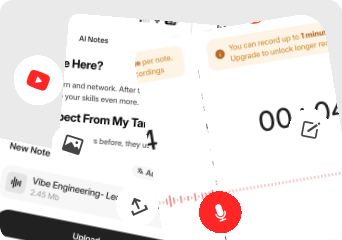
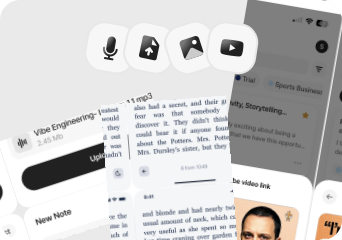
Audio, Video, Image, YouTube, Text

Audio, File Upload, YouTube, Text

Exports

Markdown, Text, Audio, Webpage

PDF, emails, and texts

Platforms

iPhone, iPad, Android, Web

iPhone/iPad, Android, Web, Desktop

Integrations

Notion, Zapier, WhatsApp

Google Calendar, Zoom, Google Meet, Microsoft Teams

App Languages

English, Español, Deutsch

English

Privacy

End-to-end encryption and GDPR listed

End-to-end encryption, GDPR, SOC 2, ISO 27001 listed

Choose Audionotes if...

you want one tool for voice notes, ideas, documents, and content creation

You want one tool for voice notes, ideas, documents, and content creation

you care about flexible inputs like voice, text, images, video, and YouTube

You care about flexible inputs like voice, text, images, video, and YouTube

you want a better fit for students, creators, and solo professionals

You want a better fit for students, creators, and solo professionals

You do not want your workflow centered on meetings

You do not want your workflow centered on meetings

Choose Minutes AI if...

Your main use case is meetings or lectures

You want transcription plus AI meeting recaps

Calendar and meeting-platform alignment matter

You are comfortable with a more focused meeting-note product

What users are saying

We collected the most recent App Store reviews available for each product (March 2026) and independently coded every review by theme: accuracy, reliability, pricing, and usability. The summary above reflects aggregate patterns across the full set. The quoted reviews were selected as the most representative of each product's top-cited praise and top-cited complaint, chosen for typicality, not extremity.

Audionotes logo

Audionotes has built a loyal following among professionals who spend a lot of time in meetings and want reliable summaries without babysitting a recording. Users consistently praise the transcription accuracy, the summary quality, and how well it holds up with multiple speakers in noisy environments. Reliability comes up often: the app works consistently across mobile and desktop, and the dev team's responsiveness to issues has earned trust over time. The main friction some users mention is wanting more control over when the AI kicks in, rather than it processing automatically every time.

TOP PRAISE

"I'm using it for a few months and it is a gamechanger for me. Long meetings are easily summarized and my productivity has improved a lot. It is also able to differentiate different speakers easily."

COMPLAINT

"Want to love this more but I don't want it to use AI until I choose to, that option isn't there. The simple summary made up a lot of 'informational' text I don't need, and it creates a delay while doing this unnecessary step."

Minutes AI logo

Minutes AI can be impressive when it's working well. Users who've tried multiple transcription apps describe it as the best for producing clear, detailed meeting notes, and some credit it with tangible professional results like earning raises at work. The summaries are well-organized and the AI output quality stands out from competitors. The flip side is a pattern of lost recordings, billing concerns, and limited support responsiveness reported by users. Multiple reviewers describe being charged full-year subscription prices immediately after clicking a free trial, with refund requests denied. Reports of recordings disappearing or accounts being forcefully logged out with data erased raise trust concerns.

TOP PRAISE

"Earned Me a Raise at Work. I use Minutes AI for every meeting, and it's completely changed how I work. After each call, I circulate the notes with my team, and people are dumbfounded by how clear, concise, and detailed they are."

COMPLAINT

"I would give it 0 stars if I could. I clicked to subscribe on the free trial and within seconds they charged me for the full year price!!!! I attempted to reach out to Apple to dispute the purchase and they denied me twice. I'm now stuck paying $105 for a service I wanted to check out to see if it would work for my needs. Absolutely disgusted."

Real-world benchmarks

30-minute two-speaker English conversation with moderate background noise, tested March 2026 by the Audionotes team. Transcription accuracy scored by a human evaluator; summary quality scored by an LLM judge against a fixed rubric; recording reliability derived from App Store review patterns. Full methodology and scoring rubrics.

MAX RECORDING

180 min

Audionotes

Unlimited

Minutes AI

TRANSCRIPTION

9/10

Audionotes

6/10

Minutes AI

SUMMARY QUALITY

9/10

Audionotes

8/10

Minutes AI

OFFLINE CAPTURE

Yes

Audionotes

Yes

Minutes AI

SPEAKER DIARIZATION

Yes

Audionotes

Yes

Minutes AI

RELIABILITY

8/10

Audionotes

6/10

Minutes AI

Takeaway: Audionotes scored higher on transcription and recording quality; Minutes AI came closest on summary quality.

Feature-by-feature comparison

Recording

Audionotes logo

Minutes.ai is built specifically for online meetings, using a calendar-connected bot that auto-joins Zoom, Google Meet, and Microsoft Teams sessions without manual intervention. It does not record standalone voice memos, process images, or handle YouTube links, capture only happens through the meeting bot, making it focused but limited for non-meeting workflows.
Winner : Audionotes

Transcription

Audionotes logo
Minutes AI logo

Minutes.ai transcribes meeting audio with speaker diarization, producing a labelled transcript that identifies who said what during the call. Audionotes also supports speaker identification in transcription, but processes manually recorded audio across a broader range of recording conditions beyond structured video calls.
Winner : Minutes AI for meetings; Audionotes for general workflows

Summaries

Audionotes logo
Minutes AI logo

Minutes.ai generates structured meeting summaries with agenda items, decisions, and action items automatically extracted from the transcript. Audionotes generates summaries across more content types but does not produce the same structured action-item and decision extraction that makes Minutes.ai meeting follow-up faster and more organised.
Winner : Depends on use case

Chat and reuse

Audionotes logo

Minutes.ai lets you revisit past meeting transcripts and ask questions about specific calls, though search and chat are limited to meeting-type content. Audionotes supports AI chat across all note types, voice memos, images, YouTube, and uploaded files, giving it a broader information-retrieval surface.
Winner : Audionotes

Organization

Audionotes logo

Minutes.ai organises around meetings and calendar events, with history searchable by date and participant across a shared team workspace. Audionotes uses general-purpose tags and folders, which is more flexible for mixed content but less structured for teams managing a shared meeting archive.
Winner : Audionotes

Course Material and File Uploads

Audionotes logo
Minutes AI logo

Minutes.ai's primary workflow is live meeting capture via bot; manual audio file upload support is limited relative to tools designed for asynchronous transcription. Audionotes accepts audio uploads, YouTube links, images, and text for a broader ingestion surface that does not depend on a live meeting session.
Winner : Depends on input type

Export

Audionotes logo

Minutes.ai exports meeting summaries and transcripts as PDF and DOCX, with email delivery of post-meeting notes to meeting participants automatically. Audionotes exports as Markdown, Text, PDF, and Word, similar document formats but without the built-in email distribution to attendees.
Winner : Audionotes

Online Meetings

Minutes AI logo

Minutes.ai's bot joins calendar-linked calls automatically, with no manual action required after initial calendar setup. Audionotes has no meeting bot; recording is manual on mobile or by file upload, you get more control over what is recorded but have to initiate each recording yourself.
Winner : Minutes AI

Integrations

Audionotes logo
Minutes AI logo

Minutes.ai integrates with Zoom, Google Meet, Teams, Google Calendar, and Outlook as its core connectivity layer. Audionotes covers Notion, Zapier, and WhatsApp; for teams that need meeting notes routed into project management tools or CRMs, Minutes.ai has the more relevant native integration set.
Winner : Depends on workflow

Privacy and security

Audionotes logo
Minutes AI logo

Minutes.ai's bot model means a third-party service participant joins your calls, which may require disclosure depending on your jurisdiction or company call-recording policy. Audionotes processes audio without a bot, with GDPR compliance and end-to-end encryption as its documented privacy baseline.
Winner : Depends on requirements

Best pick by persona

Find your workflow, find your tool.

Teams who want zero-effort meeting capture

Teams who want zero-effort meeting capture

Choose : Minutes AI
Why? : The calendar-connected bot auto-joins Zoom, Meet, and Teams calls and delivers structured post-meeting notes, no manual recording required.

Meeting organizers who email notes to attendees

Meeting organizers who email notes to attendees

Choose : Minutes AI
Why? : Minutes.ai sends post-meeting summaries by email to all participants automatically, Audionotes has no built-in distribution to attendees.

Students and lecture note-takers

Students and lecture note-takers

Choose : Audionotes
Why? : Minutes.ai is a meeting tool only, no useful workflow for lectures, personal voice notes, or content outside of scheduled calendar calls.

Content creators and mixed-media recorders

Content creators and mixed-media recorders

Choose : Audionotes
Why? : Audionotes captures YouTube links, images, and voice memos alongside audio, Minutes.ai only processes meetings captured via its bot.

Solo professionals recording calls without a bot

Solo professionals recording calls without a bot

Choose : Audionotes
Why? : Minutes.ai requires a bot participant in the call; Audionotes records manually on mobile with no third-party joining the conversation.

Users comparing at the same price point

Users comparing at the same price point

Choose : Depends on workflow
Why? : Both are $19.99/month, Minutes.ai is the better buy if online meetings are your only capture mode; Audionotes is better if you need a broader input surface.

Pricing and value

Audionotes logo

$8.33

/month

Billed Annually - $99.99/year

  1. Audionotes is better when you need a general AI note-taking tool rather than a meeting-focused app.

  2. Its biggest strengths here are broader input flexibility, broader reuse, and stronger fit across more personas See Audionotes meeting note features →

  3. Audionotes offers a free plan and paid plans starting at $19.99/month or $89.99/year.

  4. Audionotes is the better value for most people because it covers a wider set of note-taking jobs without being tied to one narrow workflow.

Minutes AI logo

$14.99

/month

$99/year

  1. Minutes AI is better when everything depends on clean, structured outputs from recurring work meetings.

  2. At its best, it delivers the kind of notes that teams actually circulate afterward.

  3. Minutes AI has a limited free plan, with paid plans starting at $14.99.

  4. Minutes AI only really makes sense if the meeting-summary quality is materially valuable to your work.

Known limitations

No tool is perfect. Here's what to expect.

Audionotes logo
  • No native meeting bot or automatic calendar joining

  • No direct integrations with Zoom, Google Meet, or Teams

  • Collaboration and sharing features are more limited than dedicated meeting tools

  • Stronger as a personal capture tool than a team workflow hub

Minutes AI logo
  • Multiple reviews mention recordings disappearing or accounts logging users out unexpectedly, which is hard to overlook in this category.

  • Billing complaints are a recurring theme, including users who say they were charged earlier or more aggressively than expected.

  • Support responsiveness appears limited in negative reviews, especially around refunds and account problems.

  • It is much more specialized than Audionotes, so the value drops if your workflow includes lectures, voice memos, or mixed-media notes.

Key takeaway: Minutes AI is optimised for one output, clean meeting minutes; Audionotes produces more types of output from more types of input.

Minutes AI to Audionotes

Switching from Minutes AI to Audionotes

Switching from Minutes AI to Audionotes is mostly a trust-and-scope decision. Export the meetings you need to keep, then rebuild your system in Audionotes around broader capture and reuse rather than a meetings-only pipeline.

Switch if you feel boxed into Minutes AI’s narrower workflow and want one tool to handle ideas, meetings, lectures, personal notes, and mixed-media note creation too. See also: how to record and transcribe meeting minutes. Also evaluating Audionotes vs Fireflies or Audionotes vs Flownote? Those comparisons cover similar trade-offs.

FAQ's

Is Audionotes better than Minutes AI?

For general note-taking, yes. Minutes AI is built for one job: auto-joining Zoom, Meet, and Teams calls, transcribing with speaker labels, extracting action items and decisions, and emailing a structured summary to everyone on the invite. For teams that run on calendar-linked calls and want that admin handled automatically, it works well. Outside that workflow, Minutes AI has no value, no voice memo recording, no file upload, no input beyond live meetings. Audionotes covers meetings plus everything else you might record, at the same $19.99/month price point.

Which is better for meeting notes?

Minutes AI is better for live meeting transcription with structured action items. It transcribes in real time during the meeting and outputs clearly formatted notes. Audionotes requires you to record first and processes afterward, which adds a step but supports more than just meetings.

Does Minutes AI work for solo professionals or only teams?

Minutes AI works for individual users, not just teams. Solo professionals recording client calls or one-on-one meetings will find it functional, though it does not extend beyond meeting contexts.

Which tool has better integrations?

Minutes AI integrates with Zoom, Google Meet, and Microsoft Teams for automatic meeting import, plus calendar apps for scheduling. Audionotes connects to Notion, Zapier, and WhatsApp, and exports to Obsidian. For meeting-platform integrations, Minutes AI has more native connections.

Is Audionotes free?

Yes. Unlimited number of notes with 1 minute recording limit. See paid plan features →

Is Minutes AI free?

Yes, with limits. Minutes AI provides 3 minutes of recording per day on the free Daily Ticket plan.

Can Audionotes handle live meeting transcription?

Not natively. Audionotes is designed for post-capture processing, you record, then it processes. Minutes AI transcribes while meetings are in progress, which is a meaningful difference for how you work.

What are the best Minutes AI alternatives in 2026?

Minutes AI focuses on team meeting workflows with a bot-based capture model. For similar functionality: Fireflies and Otter.ai are the most direct alternatives with comparable bot behaviour and team features. If you want to remove the bot and record manually, Audionotes is the most capable solo-friendly option, covering meetings, voice memos, and uploaded audio in one product. For Mac users only, Granola produces excellent bot-free meeting notes. The right alternative depends primarily on whether you need the auto-join bot or are willing to record manually.

What is the best AI meeting notes app for solo professionals in 2026?

For individuals rather than teams, the top picks are Audionotes, Fathom (free tier is strong), and Granola (Mac only). Meeting-bot tools like Fireflies, Minutes AI, and Otter.ai are designed with team workspaces and CRM sync in mind; solo users pay for features they rarely use. Audionotes charges a single flat rate with no per-seat pricing, covers more than just meetings, and gives individuals a searchable archive of all their recordings. Fathom is free for Zoom users with unlimited recordings, making it the best zero-cost option for solo call capture.

Can AI meeting notes apps transcribe in-person conversations, not just Zoom calls?

Most meeting-bot tools like Fireflies and Minutes AI are designed for online calls only; they cannot capture in-person audio. Audionotes handles both: it records live audio through your phone's microphone for in-person meetings, interviews, and walk-and-talk conversations, not just uploaded call recordings. Otter.ai has a mobile app that also records in person. If your meetings happen in physical rooms as often as on Zoom, a bot-based tool will leave gaps in your notes that a mobile-first recorder like Audionotes fills.

Can I switch from Minutes AI to Audionotes?

Yes. Export meeting summaries from Minutes AI as PDF or text, then re-upload original recordings to Audionotes for reprocessing. Live transcription sessions not separately saved as audio do not transfer. The automatic attendee email delivery disappears, sharing notes from Audionotes requires a manual export step. If you're also comparing Audionotes vs Flownote, that page covers a similar meeting-bot alternative.

Bottom-line verdict

Choose Audionotes if your recording habit goes beyond the calendar, field notes, voice memos, YouTube research, uploaded audio files, and you want one product for all of it rather than a specialist meeting tool.

Choose Minutes AI if every piece of content worth capturing arrives via Zoom, Meet, or Teams, and you want post-meeting notes delivered by email to every attendee automatically after every call, with no manual effort required.

Final recommendation: Pick Minutes AI if the problem is automating post-meeting admin for a whole team, transcripts, summaries, and emailed notes on autopilot. Pick Audionotes if you need a broader input surface and do not need automatic email delivery to call participants.

Sources

How We Evaluated

We evaluated each product using a mix of official product documentation, pricing pages, privacy and security materials, app store listings, public review data, and hands-on testing where available. We prioritized directly verifiable claims and avoided filling gaps with assumptions.

Where possible, we compared products across the same criteria, including pricing, feature depth, export options, integrations, platform coverage, privacy controls, and review sentiment. If a detail was unclear or not publicly documented, we marked it as unspecified rather than guessing.