Connect Audionotes
with Zapier
You can seamlessly connect Audionotes with 2000+ other apps using Zapier
What you can build
Audionotes integrates with Zapier so every new note can trigger an automation in 6,000+ other apps. The trigger is New Note V2 — it fires whenever a note finishes processing, with the full transcript, AI summary, and metadata available as fields you can map into any downstream action.
Send notes to your team
Pipe each new note into a Slack channel, a Microsoft Teams thread, or a Discord webhook. Useful for stand-ups, customer-call recaps, and async sharing with collaborators.
Push transcripts into your knowledge base
Forward each note to Notion, Confluence, or Google Docs. Combined with the native Notion integration, you can route specific notes to specific databases automatically.
Turn voice notes into tasks
Create cards in Trello, Asana, ClickUp, or Linear from your AI summaries. Especially powerful for solopreneurs who think out loud and want their thoughts to become next-actions automatically.
Archive to cloud storage
Save the full audio file plus the transcript to Google Drive, Dropbox, or OneDrive. Keep a long-term record without manual exporting.
Email yourself a summary
Trigger a Gmail or Outlook send-to-self with the AI summary as the body. Great for inbox-zero workflows and end-of-day digests.
Plug into your CRM
Append call summaries to HubSpot, Pipedrive, or Salesforce records. Sales teams especially benefit from automatic post-call enrichment.
How to Connect Audionotes
with Zapier
Log in to Audionotes
- Open Audionotes Web and log in to your account.
- From the left sidebar, go to Integrations.
- Click Connect on the Zapier integration card.
Step 1: Login to Zapier and create a Zap
- Go to Zapier and Login
- Start from Scratch > Click on Zap
Step 2: Choose Audionotes from the available apps
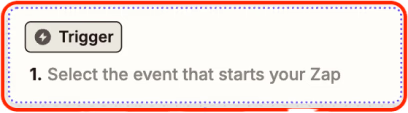
- Click on ‘Trigger’ to start first zap.
- From the app list, select Audionotes.

Step 3: Link your Audionotes account
- Click Change in the Account box
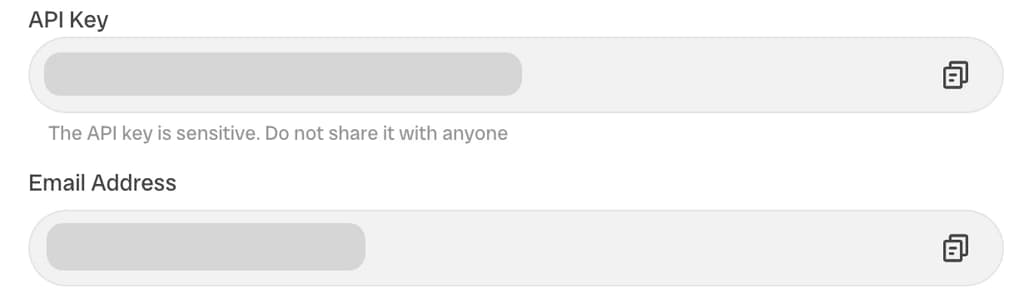
- Enter the provided API key and email address
Step 4: Finish setup
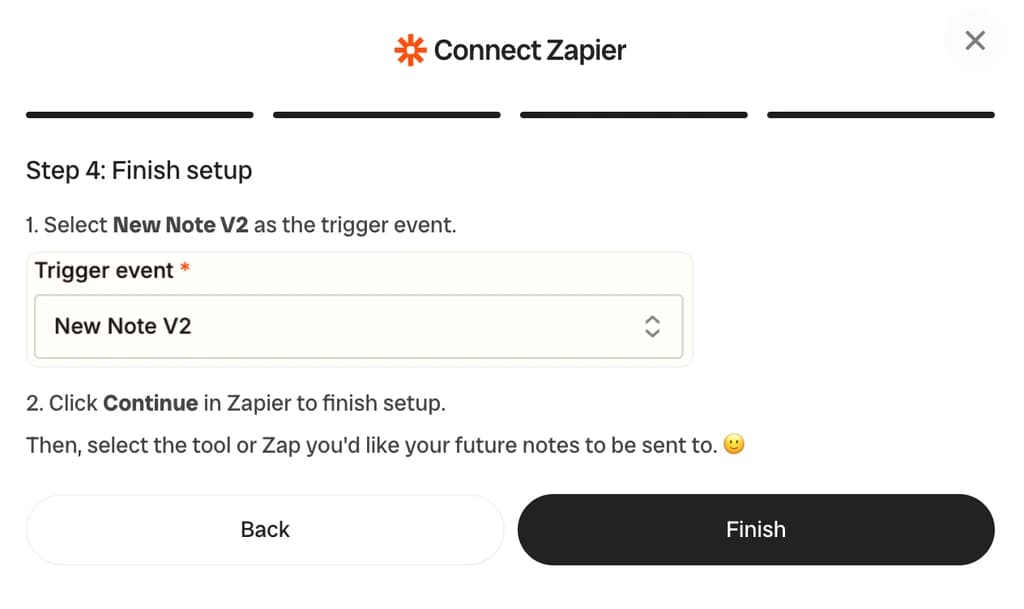
- New Note V2 as the trigger event.
- Click Continue in Zapier to finish setup.
Frequently Asked Questions
Use Audionotes as a Zapier trigger to fire when a new note is created, then route the transcript, summary, action items, or tags into any of 2000+ connected apps — Slack, Gmail, Google Sheets, Salesforce, HubSpot, Trello, Linear, ClickUp, and more.
In Zapier, click Create Zap → choose Audionotes as the trigger app → connect with your Audionotes account → pick the trigger event (e.g. "New Note Created") → then chain any action app you want. No code, takes about 2 minutes.
Currently: New Note Created (fires whenever a note finishes processing in Audionotes). The trigger payload includes title, transcript, AI summary, action items, tags, duration, and source (voice / upload / YouTube / WhatsApp).
You can start on Zapier's free plan (100 tasks/month). Audionotes is published as a public Zapier integration, so it works on every Zapier tier including free.
Zapier integration is available on the Pro plan. The Free plan does not expose Zapier triggers — upgrade to Pro to use Zapier. See all integrations.
Yes. After a meeting note is created in Audionotes, route the transcript and summary into a Salesforce Note, HubSpot Contact, Pipedrive Activity, or any CRM action that Zapier supports. Map fields to your CRM schema directly in the Zap editor. For raw JSON delivery to a custom backend, see the Webhook integration instead.
Open Audionotes Web, go to Integrations in the left sidebar, and click Connect on the Zapier card. Your API key + the email address you signed up with are shown there.
Yes — the New Note V2 trigger emits the full transcript, the AI summary, action items where present, and the source metadata. Map any of these fields to your downstream action.
The trigger fires when Audionotes finishes processing. For short voice notes, that's typically within seconds; longer audio files or YouTube videos take proportionally longer because the transcription and summarisation pipelines run before the webhook is sent.
Audionotes itself doesn't cap the number of Zaps you can connect — limits come from your Zapier plan (free tier limits Tasks per month). For high-volume use, Zapier's Starter or Pro plans cover most workflows comfortably.
The trigger is global — it fires on every new note. You can filter inside Zapier (using a Filter step) to act only on notes that match certain criteria, like containing a specific keyword in the title or summary.
See the webhook integration. It's a tighter, lower-latency alternative if you've already got an HTTP endpoint and don't need Zapier's no-code orchestration.
Save time and stay organised with Audionotes
Without Audionotes
With Audionotes
Get the Audionotes app today
For desktop
Use Audionotes on web
For mobile
Scan the QR code below
Still not sure that Audionotes.app is right for you?
Let ChatGPT, Claude, or Perplexity help you to choose.
Click a button and see what your favourite AI says about Audionotes.app.