



Audionotes vs Turbo AI

Audionotes vs Turbo AI

Choose Audionotes if you want stronger flexibility and better life beyond one academic workflow. Choose TurboLearn if your main goal is turning lecture material into revision assets as fast as possible.

Audionotes vs Turbo AI

Key differences in 30 seconds


Audionotes

Turbo AI

Best for

Capturing lectures and ideas in any format, then turning them into something useful

Lectures, study materials, and AI learning workflows

Starting price

$19.99–$29.99 (Monthly), $89.99–$129.99 (Annual)

$14.99–$19.99 (Monthly), $69.99–$119.99 (Annual); regional and promotional pricing available

Free Plan

Yes, unlimited number of notes with 1 minute recording limit

Yes, note generation, flashcards, and quizzes (~2 hours of lecture processing/month)

App Store rating

4.8/5

4.76/5

First released

January 2024

July 2024

Inputs

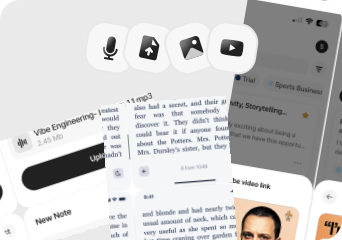
Audio, Video, Image, YouTube, Text

Audio, File Upload, YouTube, Text

Exports

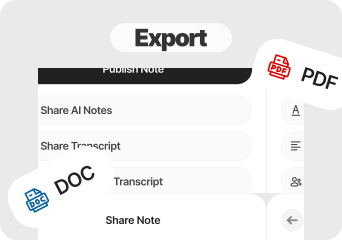
Markdown, Text, Audio, Webpage

PDF, Text (copy)

Platforms

iPhone, iPad, Android, Web

iPhone/iPad, Android, Web, Desktop

Integrations

Notion, Zapier, WhatsApp

None found

App Languages

English, Español, Deutsch

English

Privacy

End-to-end encryption and GDPR listed

Privacy details are limited in public documentation

Choose Audionotes if...

You need one tool for work and personal notes, not only classes

You need one tool for work and personal notes, not only classes

You care about broader inputs including images

You care about broader inputs including images

You want better exports and organization

You want better exports and organization

You want stronger fit outside student workflows

You want stronger fit outside student workflows

Choose Turbo AI if...

You are a student

You want notes, quizzes, and flashcards from lectures or PDFs

You mainly care about studying rather than long-term knowledge organization

You can accept a more aggressive paywall

What users are saying

We collected the most recent App Store reviews available for each product (March 2026) and independently coded every review by theme: accuracy, reliability, pricing, and usability. The summary above reflects aggregate patterns across the full set. The quoted reviews were selected as the most representative of each product's top-cited praise and top-cited complaint, chosen for typicality, not extremity.

Audionotes logo

Audionotes has built a loyal following among professionals who spend a lot of time in meetings and want reliable summaries without babysitting a recording. Users consistently praise the transcription accuracy, the summary quality, and how well it holds up with multiple speakers in noisy environments. Reliability comes up often: the app works consistently across mobile and desktop, and the dev team's responsiveness to issues has earned trust over time. The main friction some users mention is wanting more control over when the AI kicks in, rather than it processing automatically every time.

TOP PRAISE

"I am a teacher and I have been using this app to create quizzes and flashcards for my students, and it has been so amazing and fast and have saved a lot of my time."

COMPLAINT

"The things you can do on this app for free is a voice recording for up to one minute or type out notes. It's $90 to do anything else."

Turbo AI logo

Turbo AI resonates with students, especially those with ADHD or focus challenges, who love the ability to record lectures and generate summaries, quizzes, and flashcards from them. Users describe transformative results, with some going from failing grades to straight As. The AI processing is fast and the output quality impresses. The problem is the paywall hits almost immediately: after a single use, you're asked to pay, which feels misleading given the "free" marketing. At $20/month or $90-120/year, the price is steep for students on a budget. Beyond pricing, the app suffers from uploads that fail or reset when you leave, recordings that crash mid-lecture, and quizzes that sometimes have incorrect answers. It addresses a real need for its audience, though the execution and pricing model may limit adoption among the students who would benefit most.

TOP PRAISE

"Everything it says it's going to do it does. I can literally put an audio of 30 minutes and it will resume better than a teacher. It works perfectly."

COMPLAINT

"The app won't upload anything, no voice notes or PDFs, and it actually takes forever to upload. Also if you leave or exit out of the app it resets and it says it only takes 2 mins and 30 seconds but it took a hour to load."

Real-world benchmarks

30-minute two-speaker English conversation with moderate background noise, tested March 2026 by the Audionotes team. Transcription accuracy scored by a human evaluator; summary quality scored by an LLM judge against a fixed rubric; recording reliability derived from App Store review patterns. Full methodology and scoring rubrics.

MAX RECORDING

180 min

Audionotes

Undetermined

Turbo AI

TRANSCRIPTION

9/10

Audionotes

6/10

Turbo AI

SUMMARY QUALITY

9/10

Audionotes

6/10

Turbo AI

OFFLINE CAPTURE

Yes

Audionotes

No

Turbo AI

SPEAKER DIARIZATION

Yes

Audionotes

No

Turbo AI

RELIABILITY

8/10

Audionotes

5/10

Turbo AI

Takeaway: Audionotes delivered more consistent transcription accuracy; TurboLearn showed more reliability variability in recording quality.

Feature-by-feature comparison

Recording

Audionotes logo

TurboLearn accepts lecture recordings, PDFs, YouTube links, and slide decks as inputs, the workflow is built around study material ingestion, not general voice memos or personal note capture. Audionotes also accepts audio, YouTube, and images, but without the study-specific output layer of flashcards and practice tests that TurboLearn is built around.
Winner : Audionotes

Transcription

Audionotes logo
Turbo AI logo

TurboLearn transcribes lecture audio and video as a step toward generating study material, the transcript is an intermediate artifact used to produce flashcards and summaries, not the deliverable. Audionotes keeps the transcript as a first-class output alongside summaries, making it more useful when the text itself needs to be referenced, exported, or shared.
Winner : Depends on workflow

Summaries

Audionotes logo
Turbo AI logo

TurboLearn generates lecture summaries formatted as structured study notes with key concepts, definitions, and exam-prep highlights, optimised for review rather than general documentation. Audionotes generates more general-purpose summaries including mind maps and document-style outputs, which are less study-specific but more flexible for professional or personal note workflows.
Winner : Depends on use case

Chat and reuse

Audionotes logo

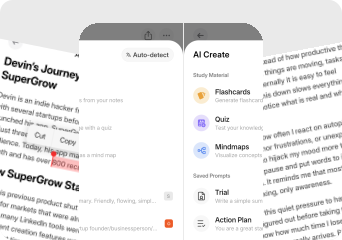
TurboLearn generates flashcards and quizzes from lecture recordings and layers a spaced repetition scheduling engine on top, it tracks what you know and surfaces cards at the right intervals. Audionotes also generates Q&A flashcards, quizzes, and mind maps from the same recordings, but without a built-in review scheduler. Audionotes adds AI chat for working with notes beyond the study session.
Winner : Audionotes

Organization

Audionotes logo

TurboLearn organises around course, subject, and study session, a folder structure designed for students managing multiple classes across a semester. Audionotes uses general tags and folders without study-specific taxonomy, which is more flexible for mixed content but less structured for academic course management.
Winner : Audionotes

Course Material and File Uploads

Audionotes logo
Turbo AI logo

TurboLearn accepts PDF documents, lecture slides, YouTube links, and audio/video files, a solid ingestion set for university-style study material. Audionotes supports audio, images, YouTube, and text notes, but does not parse or AI-index PDF documents the way TurboLearn does for academic reading material.
Winner : Depends on input type

Export

Audionotes logo

TurboLearn is primarily a study tool rather than a publishing tool; export options focus on flashcard decks rather than transcript documents or formatted notes. Audionotes exports to Markdown, Text, PDF, and Word, giving it more practical options for sharing or reusing notes outside the study workflow.
Winner : Audionotes

Online Meetings

Audionotes logo
Turbo AI logo

TurboLearn is not designed for online meetings and has no meeting bot or real-time call capture. Audionotes also lacks a bot but can record lectures, calls, or seminars manually via mobile and generate structured outputs from any audio recording.
Winner : Depends on workflow

Integrations

Audionotes logo

TurboLearn's integrations are minimal, the workflow is self-contained within the app, with no documented Zapier, Notion, or CRM connections. Audionotes connects to Notion, Zapier, and WhatsApp for routing notes into broader productivity workflows, which matters more for professional than student use.
Winner : Audionotes

Privacy and security

Audionotes logo

TurboLearn's public privacy documentation is limited; the product is primarily marketed to students rather than enterprises with strict compliance requirements. Audionotes offers GDPR compliance and end-to-end encryption, with a more explicitly documented privacy posture for professional and business use.
Winner : Audionotes

Best pick by persona

Find your workflow, find your tool.

University students processing lecture recordings

University students processing lecture recordings

Choose : Turbo AI
Why? : Turbo AI adds a spaced repetition review engine that schedules recall practice, both tools generate flashcards and quizzes from lecture audio, but TurboLearn manages the review cycle automatically.

Exam preppers working from PDFs and slides

Exam preppers working from PDFs and slides

Choose : Turbo AI
Why? : TurboLearn ingests PDF documents and slide decks for AI-indexed study notes; Audionotes does not parse PDFs for content.

Working professionals taking meeting notes

Working professionals taking meeting notes

Choose : Audionotes
Why? : Turbo AI has no meeting workflow and no professional output formats, Audionotes produces actionable summaries, mind maps, and document exports from recorded calls.

Content creators and podcasters

Content creators and podcasters

Choose : Audionotes
Why? : Audionotes captures YouTube, images, and voice alongside audio, then generates reusable content outputs, TurboLearn's output layer is built only for study review.

Personal note-takers and journalers

Personal note-takers and journalers

Choose : Audionotes
Why? : Turbo AI entire product is oriented around academic study workflows; Audionotes covers study tools like flashcards, quizzes, and mind maps alongside professional and personal capture.

People who want one tool across contexts

People who want one tool across contexts

Choose : Audionotes
Why? : Turbo AI is a focused study tool, useful for students but has no value outside academic workflows; Audionotes covers more contexts at the same or lower monthly price.

Pricing and value

Audionotes logo

$8.33

/month

Billed Annually - $99.99/year

  1. Audionotes is better when you need one AI notes tool beyond the classroom.

  2. Its biggest strengths here are general-purpose note workflows, broader exports, and better coverage across work and personal use cases.

  3. Audionotes offers a free plan and paid plans starting at $19.99/month or $89.99/year.

  4. Audionotes offers better value for users who need a tool that works inside and outside school.

Turbo AI logo

$14.99 – $19.99

/month

$69.99–$119.99/year

  1. Turbo AI is better when the product is being judged as a study machine rather than as a general notes platform.

  2. Turbo AI has a free plan, with paid plans at $14.99–$19.99/month or $69.99–$119.99/year. Regional and promotional pricing is also available.

  3. Turbo AI is easiest to justify if it directly improves grades or saves hours of study time every week.

Known limitations

No tool is perfect. Here's what to expect.

Audionotes logo
  • No spaced-repetition or active recall scheduling (unlike dedicated study apps)

  • No LMS or Google Classroom integration

  • Better for capturing and summarising than for structured revision workflows

  • Free tier recording limit of 1 minute may be short for full lecture capture

Turbo AI logo
  • Users regularly complain that the free experience runs out almost immediately, which makes the pricing feel harsher than the marketing suggests.

  • Uploads and recordings sometimes fail, reset, or crash mid-lecture, undercutting trust in a student workflow.

  • The subscription pricing is steep for the audience it most directly targets.

  • Some quiz or generated-study outputs can be inaccurate, which means students still need to verify the material.

Key takeaway: Turbo AI is built for the classroom; Audionotes follows you out of it.

Turbo AI to Audionotes

Switching from Turbo AI to Audionotes

Most switches from Turbo AI to Audionotes happen when users want broader note reuse, more dependable capture, or a tool they can keep using after graduation.

Switch if you feel boxed into Turbo AI narrower workflow and want one tool to handle ideas, meetings, lectures, personal notes, and mixed-media note creation too. See also: best AI tools for students. Also evaluating Audionotes vs Coconote or Audionotes vs Notta? Those comparisons cover similar trade-offs.

FAQ's

Is Audionotes better than TurboLearn?

For general and professional use, yes. TurboLearn is purpose-built for academic study, it converts lecture recordings, PDFs, and slide decks into flashcards, quizzes, and spaced-repetition decks. Audionotes also generates flashcards, quizzes, and mind maps from recordings, but without the spaced repetition review engine. Outside academic workflows TurboLearn has little to offer: no meeting format, no professional exports, and no useful output beyond study material. Audionotes covers lectures alongside meetings, voice memos, and research, and produces notes you can use in a professional context.

Can Audionotes generate flashcards like TurboLearn?

Yes. Audionotes generates Q&A flashcards and quizzes from your notes. What it does not have is a spaced repetition review engine, TurboLearn schedules cards for you and tracks recall over time. If built-in spaced repetition scheduling is the priority, TurboLearn handles that directly.

Which is better for students?

Depends on whether spaced repetition review matters to you. Audionotes generates Q&A flashcards, quizzes, and mind maps from lecture recordings, but does not schedule review sessions. TurboLearn adds a spaced repetition engine that surfaces cards at the right intervals, which is better for systematic exam prep.

Which tool has better integrations?

TurboLearn integrates with Google Drive, YouTube, and file uploads for lecture import. Audionotes connects to Notion, Zapier, and WhatsApp, and exports to Obsidian. For academic content sources, TurboLearn's Google Drive and YouTube ingestion is more directly relevant.

Is Audionotes free?

Yes. Unlimited number of notes with 1 minute recording limit. See paid plan features →

Is TurboLearn free?

Yes, with limits. TurboLearn's free plan includes note generation, flashcards, and quizzes, limited to approximately 2 hours of lecture processing per month.

Which is better for exam revision?

TurboLearn, if spaced repetition review drives your exam prep. Both tools generate flashcards and quizzes from lecture content. The difference is TurboLearn schedules your review sessions automatically. Audionotes is the better choice if you want study tools that also work in professional and personal contexts.

What are the best TurboLearn alternatives for students in 2026?

TurboLearn is designed around converting lectures and study material into flashcards and quizzes. The closest alternatives: Coconote and Notegpt are also student-first tools with similar flashcard and quiz generation. Audionotes covers lecture recording, transcription, and summaries but does not generate flashcards, making it better for capture and review than active recall study. If flashcard generation is your primary need, TurboLearn, Coconote, or Notegpt are better fits. If you need a recording and note system that extends beyond lectures to other audio and sources, Audionotes is the broader option.

What is the best AI note-taking app for university students in 2026?

It depends on your primary study habit. For lecture capture and summary, Audionotes and Coconote are strong: both record, transcribe, and produce usable study notes from lecture audio. For flashcard and spaced repetition study, TurboLearn and Coconote lead. For PDF and reading-focused study, Notegpt and Reflect are worth considering. The most flexible pick for students who take notes beyond the lecture hall, including seminars, group discussions, and office hours, is Audionotes, since it handles more input types without being locked to an academic workflow.

Can I switch from TurboLearn to Audionotes?

Yes. Export your notes and summaries from TurboLearn, then re-upload original lecture recordings to Audionotes. Flashcards and quizzes generated by TurboLearn do not transfer, export them separately before switching. The spaced repetition review engine disappears; Audionotes produces summaries, mind maps, flashcards, and quizzes from the same lectures instead. If you're also evaluating Audionotes vs Coconote, that page covers another lecture-focused alternative.

Bottom-line verdict

Choose Audionotes if you need a notes tool that stays useful past exam season, for meetings, client calls, research, and daily ideas all going through the same product with consistent output quality.

Choose TurboLearn if you are a student whose current priority is turning lecture recordings and course PDFs into flashcards and practice tests, it is built specifically for that job and does it better than a general-purpose notes app.

Final recommendation: Pick TurboLearn if active recall and spaced repetition are core to how you study and you need study assets, not just summaries. Pick Audionotes if lectures are one of many things you record and you want structured notes that keep working after the semester ends.

Sources

How We Evaluated

We evaluated each product using a mix of official product documentation, pricing pages, privacy and security materials, app store listings, public review data, and hands-on testing where available. We prioritized directly verifiable claims and avoided filling gaps with assumptions.

Where possible, we compared products across the same criteria, including pricing, feature depth, export options, integrations, platform coverage, privacy controls, and review sentiment. If a detail was unclear or not publicly documented, we marked it as unspecified rather than guessing.