



Audionotes vs Apple Voice Memos

Audionotes vs Apple Voice Memos

Choose Audionotes if you want AI notes, summaries, searchability, and exports after the recording. Choose Apple Voice Memos if all you need is simple, built-in audio capture with almost no setup.

Audionotes vs Apple Voice Memos

Key differences in 30 seconds


Audionotes

Voice memos

Best for

Turning recordings into summaries, searchable notes, and structured exports.

Simple built-in recording on Apple devices

Starting price

$19.99–$29.99 (Monthly), $89.99–$129.99 (Annual)

Free

Free Plan

Yes, unlimited number of notes with 1 minute recording limit

Yes, completely free with no subscription or in-app purchases

App Store rating

4.8/5

4.82/5

First released

January 2024

May 2016

Inputs

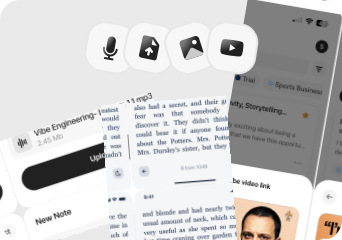
Audio, Video, Image, YouTube, Text

Audio

Exports

Markdown, Text, Audio, Webpage

M4A (audio file only)

Platforms

iPhone, iPad, Android, Web

iPhone/iPad, Desktop

Integrations

Notion, Zapier, WhatsApp

iCloud, Apple Notes, Logic Pro, Mail

App Languages

English, Español, Deutsch

لعربية, Català, Hrvatski, Čeština, Dansk, and 27 more

Privacy

End-to-end encryption and GDPR listed

Privacy details are limited in public documentation

Choose Audionotes if...

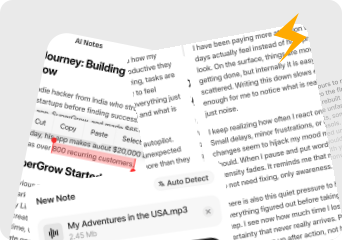
Transcript,summary,exports in audionotes

You want transcription, summaries, exports, and reuse

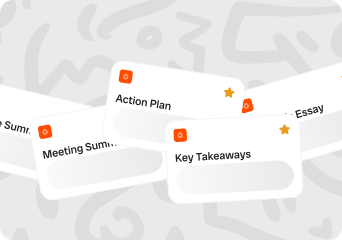
Convert your voice into anything

You need a real note-taking workflow after capture

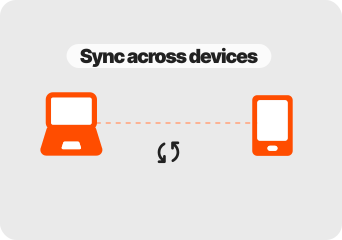
Use audionotes from any device

You work across more than just Apple devices

you care about note organization, not just dictation speed

You want mixed-media inputs instead of audio only

Choose Apple Voice Memos if...

You only need to capture audio

You prefer a built-in app with no extra subscription

You live fully inside the Apple ecosystem

AI summaries and structured notes are not your priority

What users are saying

We collected the most recent App Store reviews available for each product (March 2026) and independently coded every review by theme: accuracy, reliability, pricing, and usability. The summary above reflects aggregate patterns across the full set. The quoted reviews were selected as the most representative of each product's top-cited praise and top-cited complaint, chosen for typicality, not extremity.

Audionotes logo

Audionotes has found a strong audience among people who think out loud and want something useful on the other end of a recording. Users describe it as genuinely changing how they capture thoughts, from daily to-do lists to quick reminders that don't get lost. Cross-device sync is a real strength here: something captured on your phone shows up on the web instantly, and offline mode means it works even without a connection. The app is consistently noted for being dependable, with the dev team's responsiveness reinforcing that reliability over time. The main friction some users mention is preferring more control over when the AI processes a note.

TOP PRAISE

"Shifted from writing on my diary to this app. Much better ya! Helps me track all my cases and lectures properly. 5/5 would recommend to every medical student."

COMPLAINT

"The things you can do on this app for free is a voice recording for up to one minute or type out notes. It's $90 to do anything else."

Apple voice memos logo

Apple Voice Memos is valued for being quick to open, simple to use, and built right into the device with no limits on recording length. For basic memo capture and casual recordings, it does the job without fuss. However, users report recordings randomly stopping mid-session, audio becoming corrupted and unplayable, and files vanishing without explanation. For an app that people use to capture important meetings, lectures, and personal moments, the lack of a recovery option when recordings are lost raises reliability concerns.

TOP PRAISE

"I like it, feels like nothing. Confusion doesn't exist, and when going to end a recording, is quick."

COMPLAINT

"Man it hushed crushed me that my 54min long VERY IMPORTANT recording after trimming down the original recording and saving it as a NEW RECORDING the original audio read '0:00'. Recording still there just no time. Even the sound pattern was gone. I'm honestly so sick of Apple all together."

Real-world benchmarks

30-minute two-speaker English conversation with moderate background noise, tested March 2026 by the Audionotes team. Transcription accuracy scored by a human evaluator; summary quality scored by an LLM judge against a fixed rubric; recording reliability derived from App Store review patterns. Full methodology and scoring rubrics.

MAX RECORDING

180 min

Audionotes

Unlimited

Apple Voice Memos

TRANSCRIPTION

9/10

Audionotes

N/A

Apple Voice Memos

SUMMARY QUALITY

9/10

Audionotes

N/A

Apple Voice Memos

OFFLINE CAPTURE

Yes

Audionotes

Yes

Apple Voice Memos

SPEAKER DIARIZATION

Yes

Audionotes

No

Apple Voice Memos

RELIABILITY

8/10

Audionotes

8/10

Apple Voice Memos

Takeaway: Apple Voice Memos does not offer transcription or AI summaries, so those benchmarks do not apply. On recording reliability, both apps score equally.

Feature-by-feature comparison

Recording

Audionotes logo
Apple voice memos logo

Apple Voice Memos is free and pre-installed on every iPhone, iPad, and Mac, making it the lowest-friction recorder in the Apple ecosystem. It captures high-quality audio with iCloud sync across devices, but recording is the only function, there is no AI transcription, summarisation, or note processing built into the core app.
Winner : Depends on workflow

Transcription

Audionotes logo

Apple Voice Memos historically did not include built-in transcription; Siri can produce a rudimentary on-device transcription on newer hardware, but quality and editability are limited compared to a dedicated transcription engine. Audionotes uses AI transcription optimised for accuracy across accents and variable recording conditions, producing a clean, searchable text record.
Winner : Audionotes

Summaries

Audionotes logo

Apple Voice Memos has no AI summary feature, you get the audio file and a waveform, nothing else. Audionotes processes the same recording automatically to produce a structured summary, key points, and optionally a mind map, turning the same raw audio into immediately usable, shareable content.
Winner : Audionotes

Chat and reuse

Audionotes logo

Apple Voice Memos has no AI layer, you cannot ask questions about a recording, extract action items, or generate a blog post from a voice note within the app. Audionotes supports AI follow-up on every note type, letting you turn a voice memo into a document, email draft, or structured summary with a single prompt.
Winner : Audionotes

Organization

Audionotes logo

Apple Voice Memos organises recordings in a flat date-sorted list with iCloud backup; there are no tags, no folders, and no full-text search across your library. Finding a specific moment in a two-hour recording means manual scrubbing, while Audionotes stores transcripts with full-text search, tags, and folders.
Winner : Audionotes

Uploads

Audionotes logo

Apple Voice Memos only ingests audio you record live within the app on an Apple device. Audionotes accepts uploaded audio files, YouTube links, images, and text, a much broader ingestion surface for content that already exists or was captured elsewhere.
Winner : Audionotes

Export

Audionotes logo

Apple Voice Memos exports audio as M4A and offers basic transcript sharing through the iOS share sheet where Siri transcription is available. Audionotes exports processed content as Markdown, Text, PDF, or Word, practical formats for documentation, publishing, or dropping into other tools.
Winner : Audionotes

Online Meetings

Audionotes logo

Apple Voice Memos cannot join or capture online meetings automatically; recording a call requires placing the device near a speaker or using a screen-record workaround, neither of which is reliable. Audionotes also requires manual recording but produces transcription and summarisation from the captured audio, making the recording actually usable.
Winner : Audionotes

Integrations

Audionotes logo

Apple Voice Memos integrates with iCloud and the iOS share sheet, there is no Notion export, no Zapier trigger, and no direct WhatsApp routing. Audionotes connects to Notion, Zapier, and WhatsApp, making it far more useful for any workflow where notes need to move across tools automatically.
Winner : Audionotes

Privacy and security

Audionotes logo
Apple voice memos logo

Apple Voice Memos recordings are stored in iCloud under Apple's strong consumer privacy commitments, no audio is shared with third parties unless you explicitly activate a transcription feature, and on-device processing is Apple's stated default. Audionotes processes audio in the cloud to generate its AI outputs, which is the trade-off for getting structured summaries rather than raw audio.
Winner : Depends on requirements

Best pick by persona

Find your workflow, find your tool.

Heavy keyboard users who want to dictate everywhere

Casual recorders who only need the audio file

Choose : Apple Voice Memos
Why? : Free, pre-installed, iCloud-synced, and zero friction, nothing beats it if you just need to capture audio and listen back.

Students taking lecture notes

Students who want structured notes from lectures

Choose : Audionotes
Why? : Apple Voice Memos has no transcription or summary layer; Audionotes turns the same lecture recording into searchable text, summaries, mind maps, flashcards, and quizzes.

Professional taking meeting summaries

Professionals who need meeting summaries

Choose : Audionotes
Why? : Voice Memos delivers only the raw audio file, extracting action items and decisions requires manual re-listening. Audionotes automates all of that.

Content creator researching idea

Content creators researching ideas

Choose : Audionotes
Why? : Audionotes ingests YouTube links, images, and uploaded files, Voice Memos only captures what you record live on an Apple device.

User tight on budget

Users on a strict budget

Choose : Apple Voice Memos
Why? : Voice Memos is completely free and always will be, the comparison is whether Audionotes' AI processing layer is worth $19.99/month for your specific use case.

Content creators processing YouTube or uploads

Anyone who needs searchable notes over time

Choose : Audionotes
Why? : Voice Memos has no full-text search, no tagging, and no folder structure, finding anything in a growing library means manual scrubbing through a flat date-sorted list.

Pricing and value

Audionotes logo

$8.33

/month

Billed Annually - $99.99/year

  1. Audionotes is better when you need more than a recorder.

  2. Its biggest strengths here are transcription, summaries, exports, and turning captured ideas into usable notes

  3. Audionotes becomes the better value the moment you need transcripts, summaries, structured notes, or anything beyond raw audio.

Apple voice memos logo

Free

Completely free with no paid plans.

  1. Apple Voice Memos is better only when simplicity and zero setup matter more than everything that happens after the recording.

  2. Apple Voice Memos is completely free with no paid plans.

  3. Apple Voice Memos is free and hard to beat on convenience.

Known limitations

No tool is perfect. Here's what to expect.

Audionotes logo
  • Free tier caps recordings at 1 minute, which can feel restrictive for longer captures

  • More features means a slightly steeper learning curve than minimalist alternatives

  • Requires an internet connection for transcription and summaries

  • No built-in journaling or private diary-style layout

Apple voice memos logo
  • Reviews mention recordings stopping unexpectedly, audio corruption, and files disappearing, which is worrying even for a simple recorder.

  • There is effectively no AI layer for summarization, extraction, or structured reuse.

  • It is tightly limited compared with dedicated note products once you need organization beyond basic audio files.

  • If a recording fails, recovery options appear limited based on user reports.

Key takeaway: Audionotes does more with a recording once it's made; Voice Memos does less, but with zero friction.

Voice notes to Audionotes

Switching from Apple Voice Memos to Audionotes

Switching from Apple Voice Memos to Audionotes is less a migration project and more a workflow upgrade. You are moving from raw recordings to a system that can actually process and reuse what you captured.

Switch if you feel boxed into Apple Voice Memos’s narrower workflow and want one tool to handle ideas, meetings, lectures, personal notes, and mixed-media note creation too. See also: best apps to summarise voice recordings. Also evaluating Audionotes vs MacWhisper or Audionotes vs AudioPen? Those comparisons cover similar trade-offs.

FAQ's

Is Audionotes better than Apple Voice Memos?

For most people, yes, but it depends on what you do with the recording. Apple Voice Memos is free, fast, and built into every iPhone and Mac. If all you need is to capture audio and listen back, it is hard to beat. The gap opens the moment you want the recording to produce something: a transcript, a summary, searchable text, or structured outputs. Voice Memos has none of that. Audionotes adds an AI layer on top of the same recording, turning it into a note you can search, share, and build on, at a cost of $19.99/month that only makes sense if you regularly act on what you capture.

Does Audionotes work offline like Apple Voice Memos?

No. Audionotes requires an internet connection for transcription and AI summaries. Apple Voice Memos can record without any connection, which matters if you work somewhere without reliable signal.

Can I use both apps together?

Yes, and some people do. Voice Memos for quick offline recordings, then upload or re-record in Audionotes when a processed note is needed.

Does Apple Voice Memos have AI features?

Apple added live transcription in iOS 18, but there is no summarisation, organisation, or export processing. Audionotes handles all of that on top of the transcript.

Is Audionotes free?

Yes. Unlimited number of notes with 1 minute recording limit. See paid plan features →

Is Apple Voice Memos free?

Yes. Apple Voice Memos is completely free with no subscription or in-app purchases.

Which app is better for long recordings?

Apple Voice Memos has no recording length limit. Audionotes processes longer files on paid plans. For uninterrupted long-form recording with no internet required, Voice Memos has an edge.

Which tool has better integrations?

Audionotes. Apple Voice Memos has no third-party integrations, iCloud sync and the iOS share sheet are the only outbound options. Audionotes connects to Notion, Zapier, and WhatsApp, and exports to Obsidian, making it straightforward to route notes into other tools automatically.

Does Apple Voice Memos transcribe on iPhone?

Yes, since iOS 18. Voice Memos added on-device transcription using Apple's speech engine, which works offline and keeps audio on the device. Accuracy is reasonable for clear single-speaker speech but drops noticeably with background noise, accents, or two-speaker conversations. There is no summarisation, key point extraction, or searchable library built on top of the transcript. Audionotes uses a cloud-based transcription engine tuned for accuracy across variable conditions, then adds AI processing: summaries, action items, mind maps, and a searchable archive. If a raw transcript is all you need and your recordings are clean, iOS 18 Voice Memos covers it for free. If you need the processed output, Audionotes is the step up.

Which app is more private?

Apple Voice Memos is more private by design. Audio is recorded locally and synced only through your personal iCloud account. On-device transcription in iOS 18 means no audio leaves your device at all. Audionotes processes recordings in the cloud to generate transcripts and summaries, so audio is uploaded to its servers. Audionotes offers GDPR compliance and end-to-end encryption, which covers most professional use cases comfortably. But if keeping audio entirely on-device is a hard requirement, Voice Memos wins that comparison by architecture, not just policy.

Can I search through old recordings in Audionotes?

Yes. Every recording processed in Audionotes becomes a searchable text note, and you can search across transcripts, summaries, and tags to find a specific detail without re-listening. Apple Voice Memos has no searchable text archive, you can search by recording title but not by spoken content. For anyone who regularly needs to retrieve something from a past recording, the searchable library is one of Audionotes' most practically useful features: find the name, decision, or figure you said six weeks ago in seconds rather than scrubbing through audio.

When is using Voice Memos and Audionotes together better than replacing one?

The combination beats a full replacement in a few specific situations. Offline capture, then process later: Voice Memos is always available with no account or internet needed, so it catches recordings when Audionotes cannot, no signal, low battery, borrowed iPhone. Export the .m4a afterwards and upload to Audionotes for processing. Quick throwaway recordings: not every voice note needs a summary. Voice Memos handles the ones you'll never need to act on; Audionotes handles the ones that need to become something. Privacy-sensitive audio: keep confidential conversations in Voice Memos where they stay on-device, route everything else through Audionotes. Most people who use Audionotes seriously still keep Voice Memos installed precisely because the best capture tool is the one with zero friction at the moment you need it.

What is the best voice recording app for iPhone in 2026?

For pure recording with no processing, Apple Voice Memos remains the default: it is pre-installed, works offline, and has no learning curve. For recording plus AI output, Audionotes is the strongest option: it transcribes, summarises, extracts action items, and adds a searchable archive. Otter.ai is worth considering for live transcription during conversations. If you only need to capture audio reliably, Voice Memos is hard to beat. If you need to act on what was said, Audionotes is the better tool because it turns recordings into usable notes automatically.

What are the best Apple Voice Memos alternatives with AI features?

Apple Voice Memos added on-device transcription in iOS 18, but it stops there: no summaries, no action items, no searchable library. For AI on top of voice recording, the main alternatives are: Audionotes (summaries, action items, mind maps, searchable archive), Otter.ai (live transcription with collaboration), and Just Press Record (cleaner UI with basic transcription). Audionotes is the most complete upgrade if you want your recordings to produce structured output rather than just a text dump. For users who want to stay closer to the Voice Memos experience with a small AI layer added, Just Press Record or Whisper Memos are lighter options.

Can I switch from Apple Voice Memos to Audionotes?

Yes. Export your Voice Memos recordings as .m4a files using AirDrop, iCloud, or the Files app, then import them into Audionotes. Transcripts and AI summaries are generated automatically for each file. There are no structured notes or metadata to migrate, Voice Memos only stores the audio. If you're also comparing Audionotes vs AudioPen, that page covers another voice-first alternative.

Bottom-line verdict

Choose Audionotes if you want recordings to become something, searchable transcripts, structured summaries, mind maps, action items, rather than audio files you have to re-listen to every time you need to find a detail.

Choose Apple Voice Memos if quick, free, battery-light recording is the whole job. If you are on Apple hardware, do not need AI output, and the thought of paying for a notes app makes no sense for your use case, Voice Memos is the right call.

Final recommendation: Pick Audionotes if you have ever re-listened to a recording just to find one thing you knew was in there somewhere. Pick Apple Voice Memos if raw audio capture is genuinely all you need and a subscription has no place in that workflow.

Sources

How We Evaluated

We evaluated each product using a mix of official product documentation, pricing pages, privacy and security materials, app store listings, public review data, and hands-on testing where available. We prioritized directly verifiable claims and avoided filling gaps with assumptions.

Where possible, we compared products across the same criteria, including pricing, feature depth, export options, integrations, platform coverage, privacy controls, and review sentiment. If a detail was unclear or not publicly documented, we marked it as unspecified rather than guessing.