



Audionotes vs Fireflies

Audionotes vs Fireflies

Choose Audionotes if you want a more flexible notes tool that is not built around a meeting bot. Choose Fireflies if your workflow starts and ends with recorded meetings, searchable transcripts, and post-call follow-up.

Audionotes vs Fireflies ai

Key differences in 30 seconds


Audionotes

Fireflies

Best for

Capturing meeting insights and everyday ideas without needing a meeting bot

Meeting transcription and AI-generated meeting summaries

Starting price

$19.99–$29.99 (Monthly), $89.99–$129.99 (Annual)

Free

Free Plan

Yes, unlimited number of notes with 1 minute recording limit

Yes, unlimited transcription, limited AI summaries, and 800 min storage per seat

App Store rating

4.8/5

4.84/5

First released

January 2024

October 2023

Inputs

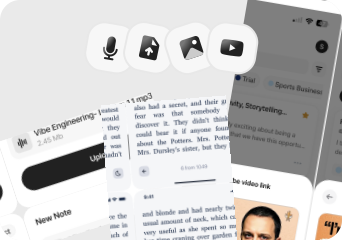
Audio, Video, Image, YouTube, Text

Audio, File Upload, Text

Exports

Markdown, Text, Audio, Webpage

MP3, MP4, TXT, DOCX, PDF, HTML, JSON (via API)

Platforms

iPhone, iPad, Android, Web

iPhone/iPad, Android, Web, Chrome extension, Desktop

Integrations

Notion, Zapier, WhatsApp

Zapier, Slack, Notion, HubSpot

App Languages

English, Español, Deutsch

English

Privacy

End-to-end encryption and GDPR listed

End-to-end encryption, GDPR, SOC 2, ISO 27001 listed

Choose Audionotes if...

You need voice notes, images, YouTube, and personal idea capture

You need voice notes, images, YouTube, and personal idea capture

You want one flexible AI notes tool instead of a team meeting platform

You want one flexible AI notes tool instead of a team meeting platform

You care about broader exports for publishing and docs

You care about broader exports for publishing and docs

You want stronger fit for solo workflows

You want stronger fit for solo workflows

Choose Fireflies if...

Your main workflow is online meetings

You want a meeting bot, integrations, and team collaboration

You need strong exports and CRM-friendly workflows

You are okay with a meeting-centric product experience

What users are saying

We collected the most recent App Store reviews available for each product (March 2026) and independently coded every review by theme: accuracy, reliability, pricing, and usability. The summary above reflects aggregate patterns across the full set. The quoted reviews were selected as the most representative of each product's top-cited praise and top-cited complaint, chosen for typicality, not extremity.

Audionotes logo

Audionotes has built a loyal following among professionals who spend a lot of time in meetings and want reliable summaries without babysitting a recording. Users consistently praise the transcription accuracy, the summary quality, and how well it holds up with multiple speakers in noisy environments. Reliability comes up often: the app works consistently across mobile and desktop, and the dev team's responsiveness to issues has earned trust over time. The main friction some users mention is wanting more control over when the AI kicks in, rather than it processing automatically every time.

TOP PRAISE

Great transcription and good features like mind map, summary and meeting minutes. It is better than a lot of other apps in this domain!!"

COMPLAINT

"Want to love this more but I don't want it to use AI until I choose, that option isn't there. The simple summary made up a lot of 'informational' text I don't need, and it creates a delay."

Fireflies logo

Fireflies earns strong praise for its transcription accuracy, speaker identification by name, and the ability to generate detailed meeting summaries that let users stay present in conversations. The free plan with unlimited storage is a real draw, and users who've come from competitors describe it as a clear step up in detail and reliability. On the flip side, some users report the app failing to actually record meetings while appearing to work, which raises concerns for a transcription-focused product. Privacy questions around involuntary notifications to meeting participants, required Google/Microsoft login, and the cancellation process are also noted in reviews.

TOP PRAISE

"Recently had issues with a competitor stopping recordings within 10-15 min of meetings. My trust was gone & gave Fireflies a chance. WOW, totally new level of detail."

COMPLAINT

"The app says it's still processing the meeting. After waiting for DAYS, their support just tells me that nothing was recorded. Lost Meeting. Lost Revenue. Lost Respect. Lost Trust."

Real-world benchmarks

30-minute two-speaker English conversation with moderate background noise, tested March 2026 by the Audionotes team. Transcription accuracy scored by a human evaluator; summary quality scored by an LLM judge against a fixed rubric; recording reliability derived from App Store review patterns. Full methodology and scoring rubrics.

MAX RECORDING

180 min

Audionotes

150 min

Fireflies

TRANSCRIPTION

9/10

Audionotes

7/10

Fireflies

SUMMARY QUALITY

9/10

Audionotes

7/10

Fireflies

OFFLINE CAPTURE

Yes

Audionotes

No

Fireflies

SPEAKER DIARIZATION

Yes

Audionotes

Yes

Fireflies

RELIABILITY

8/10

Audionotes

4/10

Fireflies

Takeaway: Audionotes delivered more consistent transcription accuracy; Fireflies showed more reliability variability in recording quality.

Feature-by-feature comparison

Recording

Audionotes logo

Fireflies captures audio exclusively through its AI notetaker bot, which auto-joins Zoom, Google Meet, Microsoft Teams, and Webex calls, it does not support manual voice recording, image, or YouTube capture. Audionotes, by contrast, works across voice memos, text, photos, YouTube links, and uploaded files, making it the stronger fit when capture needs to go beyond a single meeting-bot workflow.
Winner : Audionotes

Transcription

Audionotes logo
Fireflies logo

Fireflies uses proprietary transcription with speaker diarization by name, pulling participant names from your calendar or meeting context. The free plan includes unlimited transcription with an 800-minute storage cap per seat, which is generous for light use but can fill up quickly for heavy meeting users. Audionotes is positioned as a broader notes product rather than a dedicated meeting transcription platform.
Winner : Fireflies for meetings; Audionotes for general workflows

Summaries

Audionotes logo
Fireflies logo

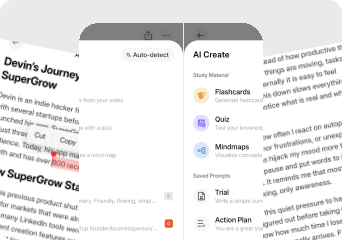
Fireflies generates structured meeting summaries with chapters, action items, topic timestamps, and a Soundbite feature for clipping shareable moments from calls. Audionotes summaries are more flexible across input types, voice memos, images, YouTube, and include mind maps and document-style outputs, but Fireflies' meeting-specific format is more detailed for post-call handoffs to teammates or CRM fields.
Winner : Depends on use case

Chat and reuse

Audionotes logo
Fireflies logo

Fireflies includes Fred AI, a chatbot that lets you ask questions across your entire meeting history, useful for finding who committed to what on a past call. Audionotes offers broader AI chat across mixed note types including voice memos, images, and YouTube, not just meeting transcripts, giving it more utility outside meeting-heavy workflows.
Winner : Depends on workflow

Organization

Audionotes logo

Fireflies organises around meetings first, with a searchable transcript library, speaker-specific search, and team-wide meeting repositories. Audionotes provides folders, tags, and a more general-purpose knowledge library that works across all note types beyond meetings, making it the stronger choice for mixed personal and professional capture.
Winner : Audionotes

Course Material and File Uploads

Audionotes logo
Fireflies logo

Fireflies accepts audio and video file uploads including AVI, MP4, M4A, WAV, and MP3, useful for processing recordings that were not captured live via bot. Audionotes accepts audio uploads plus images, text, and YouTube links, giving it a broader ingestion surface for content that did not originate from a scheduled meeting.
Winner : Depends on input type

Export

Fireflies logo

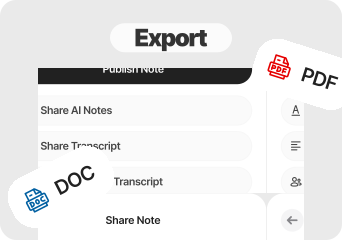
Fireflies exports transcripts as PDF, DOCX, SRT, CSV, and JSON, with direct integration pushes to Notion, Slack, and Salesforce. Audionotes exports to Markdown, Text, PDF, and Word, and can publish notes as a shareable webpage, more flexible for content creation, but less targeted for CRM or subtitle workflows.
Winner : Fireflies

Online Meetings

Audionotes logo
Fireflies logo

Fireflies sends a bot to your calendar-connected calls and records without manual action, the bot appears in the participant list, which some attendees or jurisdictions may flag. Audionotes has no meeting bot; you record manually via mobile or upload a file, trading automation for control over what gets captured.
Winner : Fireflies

Integrations

Audionotes logo
Fireflies logo

Fireflies integrates natively with Salesforce, HubSpot, Pipedrive, Slack, Notion, Zapier, Google Calendar, and Outlook, a deep CRM and team-workflow integration layer. Audionotes covers Notion, Zapier, and WhatsApp, which works well for personal note routing but does not match Fireflies' CRM depth for sales or team use cases.
Winner : Depends on workflow

Privacy and security

Audionotes logo
Fireflies logo

Fireflies is SOC 2 Type II and ISO 27001 certified, with configurable data retention policies on enterprise plans. The bot model does mean a third-party participant joins your calls, something worth considering for confidential discussions. Audionotes offers GDPR compliance and end-to-end encryption without needing a participant in the room.
Winner : Depends on requirements

Best pick by persona

Find your workflow, find your tool.

Sales reps using Salesforce or HubSpot

Sales reps using Salesforce or HubSpot

Choose : Fireflies
Why? : Fireflies pushes call summaries directly into Salesforce, HubSpot, and Pipedrive, Audionotes has no CRM sync.

Team leads running recurring standups or sprints

Team leads running recurring standups or sprints

Choose : Fireflies
Why? : The shared team workspace, searchable meeting history, and speaker-named transcripts make it better for team-wide meeting ops.

Freelancers recording client calls

Freelancers recording client calls

Choose : Audionotes
Why? : No bot joins the call, so no awkward disclosure moment, you record manually and get a clean summary without needing the other party to consent to an AI participant.

Content creators and podcasters

Content creators and podcasters

Choose : Audionotes
Why? : Captures YouTube, images, voice memos, and text alongside audio, Fireflies only processes meetings via its bot.

Students and lecture note-takers

Students and lecture note-takers

Choose : Audionotes
Why? : Works for lectures, voice memos, and mixed media; Fireflies is built exclusively around online meetings and is not useful outside that context.

Users with privacy-sensitive calls

Users with privacy-sensitive calls

Choose : Audionotes
Why? : Fireflies' bot appears as a named participant in the call, which some clients or jurisdictions flag, Audionotes has no bot and processes audio only after the call ends.

Pricing and value

Audionotes logo

$8.33

/month

Billed Annually - $99.99/year

  1. Audionotes is the better value for individuals who want richer capture across many contexts, not just calls.

  2. Audionotes is better when you need a flexible AI notes product for more than meetings.

  3. Its biggest strengths here are broader capture modes, stronger fit for solo use, and more general note reuse

  4. Audionotes is priced as a single-user product at $19.99/month or $89.99/year, simpler for solo users

Fireflies logo

$18

/month

$120/year (Save up to 44%)

  1. Fireflies' free plan includes unlimited transcription with 800 minutes of storage per seat.

  2. Paid plans start at $18/seat/month (Pro) or $29/seat/month (Business).

  3. Fireflies is more cost-effective for small teams on the Pro tier.

  4. Fireflies is better when meetings are the center of the workflow and integrations matter almost as much as the notes themselves.

Known limitations

No tool is perfect. Here's what to expect.

Audionotes logo
  • No native meeting bot or automatic calendar joining

  • No direct integrations with Zoom, Google Meet, or Teams

  • Collaboration and sharing features are more limited than dedicated meeting tools

  • Stronger as a personal capture tool than a team workflow hub

Fireflies logo
  • Several reviewers report meetings appearing to record correctly but ultimately producing nothing, which is a major trust problem in this category.

  • Some users dislike the privacy dynamics around automated participant notifications and required work-account logins.

  • Cancellation and billing friction shows up often enough in reviews to be worth taking seriously.

  • It is built around meeting workflows first, so it is less natural for personal note-taking, classes, or mixed-media capture.

Key takeaway: Fireflies lives inside your calendar; Audionotes lives outside it, which makes it more flexible but less automatic.

Fireflies to Audionotes

Switching from Fireflies to Audionotes

People usually move from Fireflies to Audionotes when they want less meeting-bot overhead and a product that also handles ideas, personal notes, and non-meeting content well.

Switch if you feel boxed into Fireflies’s narrower workflow and want one tool to handle ideas, meetings, lectures, personal notes, and mixed-media note creation too. See also: how to record and transcribe meeting minutes.  Also evaluating Audionotes vs Granola or Audionotes vs Notta? Those comparisons cover similar trade-offs.

FAQ's

Is Audionotes better than Fireflies?

For personal and flexible note-taking, yes. Fireflies is purpose-built for meeting workflows, a bot auto-joins Zoom, Meet, and Teams, produces speaker-named transcripts, and syncs directly with Salesforce, HubSpot, and Pipedrive. That is genuinely powerful if your entire workflow runs through scheduled calls. Audionotes covers meetings but also handles voice memos, uploaded files, YouTube, and images, it is the better tool if your capture habit extends beyond your calendar.

Which is better for meeting notes?

Fireflies is better if you need a bot that auto-joins Zoom, Meet, and Teams calls, creates speaker-attributed transcripts, and pushes summaries directly to Salesforce, HubSpot, or Slack. Audionotes requires manual recording but works across more than just meetings.

Does Audionotes have a meeting bot?

No. Audionotes does not send a bot to join your meetings. You record manually through the mobile app or by uploading a recording, no automatic calendar-linked capture, but also no uninvited AI participant in your calls.

Which tool has better integrations?

Fireflies. It connects natively with Salesforce, HubSpot, Slack, Notion, Zapier, and major calendar apps. If your workflow includes CRM sync or team collaboration tools, Fireflies' integration layer is a genuine advantage over Audionotes, which connects to Notion, Zapier, and WhatsApp, useful for personal workflow automation, but without the CRM depth Fireflies offers.

Is Audionotes free?

Yes. Unlimited number of notes with 1 minute recording limit. See paid plan features →

Is Fireflies free?

Yes. Fireflies offers a free plan that includes unlimited transcription, limited AI summaries, and 800 minutes of storage per seat.

Can Audionotes work for individual meeting notes without a team subscription?

Yes. Audionotes works well for solo professionals who want to record a call and get a summary. The gap versus Fireflies is team features, CRM integrations, and the automatic bot-joins-the-call model.

What are the best Fireflies alternatives in 2026?

The strongest Fireflies alternatives depend on what you want to replace. If you want a meeting bot that auto-joins calls, Otter.ai and Fathom are the closest substitutes. If you want to drop the bot entirely and record manually, Audionotes and Granola are the most capable options. Audionotes extends beyond meetings to voice memos, uploads, and images, making it the better pick if your note-taking happens outside your calendar too. Granola is Mac-only but produces cleaner meeting notes for users who are already taking their own rough notes during a call.

Which AI meeting transcription app doesn't use a bot?

Several options skip the meeting bot entirely. Audionotes requires you to record manually on your phone or upload a file, no bot joins the call and no AI participant shows up in participants lists. Granola (Mac only) also runs locally without a bot. MacWhisper transcribes files locally on Apple hardware with no cloud upload. If the bot showing up in your meetings is a problem, whether for client calls, sensitive discussions, or personal preference, any of these three remove it by design.

What is the cheapest AI transcription and meeting notes app?

For the lowest monthly cost with real AI summaries, Audionotes starts at $9/month (billed annually). Fireflies' Pro plan is $10/month per seat (annual). Otter.ai Pro is $16.99/month. If you only need occasional transcription, Audionotes' free plan covers up to 1-minute recordings with no credit card required. For heavy meeting volume on a budget, Fireflies' free plan offers 800 minutes of storage per seat, which is generous if summaries matter less than raw transcripts.

Can I switch from Fireflies to Audionotes?

Yes. Fireflies lets you export meeting transcripts as PDF, DOCX, or SRT. Re-import original recordings into Audionotes for reprocessing, or paste transcripts as text notes. Team workspace features, CRM sync history, and meeting search do not carry over. If you're also comparing Audionotes vs Granola, that page covers similar trade-offs.

Bottom-line verdict

Choose Audionotes if your note-taking extends beyond meeting rooms. If you capture ideas on a commute, process YouTube research, record in-person conversations, or want one product for voice, images, and text alongside meetings, Audionotes is the broader tool.

Choose Fireflies if your workday is structured around Zoom, Meet, or Teams calls and you need a bot that auto-joins every one, creates speaker-named transcripts, and pushes summaries into Salesforce or HubSpot without manual effort.

Final recommendation: Pick Audionotes if meetings are one part of your note-taking, not the whole thing. Pick Fireflies if CRM-ready meeting summaries and a bot that never misses a call are the specific problems you are solving.

Sources

How We Evaluated

We evaluated each product using a mix of official product documentation, pricing pages, privacy and security materials, app store listings, public review data, and hands-on testing where available. We prioritized directly verifiable claims and avoided filling gaps with assumptions.

Where possible, we compared products across the same criteria, including pricing, feature depth, export options, integrations, platform coverage, privacy controls, and review sentiment. If a detail was unclear or not publicly documented, we marked it as unspecified rather than guessing.