


Audionotes vs SpeechNotes
Choose Audionotes if you want a serious notes workflow with summaries, exports, and reuse. Choose SpeechNotes only if the priority is a minimal speech-to-text tool and little else.

On this page
Key differences in 30 seconds
Audionotes | Speechnotes | |
|---|---|---|
Best for | Turning spoken words into organised notes you can actually build on ↗ | Fast dictation and turning spoken thoughts into text ↗ |
Starting price | $19.99–$29.99 (Monthly), $89.99–$129.99 (Annual) ↗ | $3.99 (Weekly), $4.99–$5.99 (Monthly), $14.99–$34.99 (Annual) ↗ |
Free Plan | Yes, unlimited number of notes with 1 minute recording limit ↗ | Yes, online dictation notepad and Voice Typing Chrome extension ↗ |
App Store rating | 4.8/5 ↗ | 4.39/5 ↗ |
First released | January 2024 ↗ | August 2022 ↗ |
Inputs | Audio, Video, Image, YouTube, Text ↗ | Audio, File Upload, Text |
Exports | Markdown, Text, Audio, Webpage ↗ | .srt (captions) and other formats ↗ |
Platforms | iPhone, iPad, Android, Web ↗ | iPhone/iPad, Android, Web, Chrome extension ↗ |
Integrations | Notion, Zapier, WhatsApp ↗ | Zapier, Google Drive, YouTube, Gmail ↗ |
App Languages | English, Español, Deutsch ↗ | English, 中文 ↗ |
Privacy | End-to-end encryption and GDPR listed ↗ | GDPR listed ↗ |
Choose Audionotes if...

You want summaries, better organization, and richer outputs

You need broader exports and more polished workflows

You care about reliability for important recordings

You want support for mixed-media inputs
Choose SpeechNotes if...
Price matters most
You mainly want simple dictation or transcription
You do not need a deep note-taking system
You are comfortable with a lighter-weight product
What users are saying
We collected the most recent App Store reviews available for each product (March 2026) and independently coded every review by theme: accuracy, reliability, pricing, and usability. The summary above reflects aggregate patterns across the full set. The quoted reviews were selected as the most representative of each product's top-cited praise and top-cited complaint, chosen for typicality, not extremity.

Audionotes has built a loyal following among professionals who spend a lot of time in meetings and want reliable summaries without babysitting a recording. Users consistently praise the transcription accuracy, the summary quality, and how well it holds up with multiple speakers in noisy environments. Reliability comes up often: the app works consistently across mobile and desktop, and the dev team's responsiveness to issues has earned trust over time. The main friction some users mention is wanting more control over when the AI kicks in, rather than it processing automatically every time.
TOP PRAISE
"I rely heavily on two features: converting voice notes to bullet points and summarizing YouTube videos. It does a great job, accurate transcription and concise summaries."
COMPLAINT
"The things you can do on this app for free is a voice recording for up to one minute or type out notes. It's $90 to do anything else."

SpeechNotes has a very thin review profile and doesn't make much of a case for itself. Users who like it describe it as a basic, low-cost speech-to-text tool that handles the core function without complexity. However, the criticism is pointed: one user reports the app deleted nearly 90% of their notes without warning, support reportedly doesn't respond to emails, and multiple reviewers feel it offers little beyond what Apple's built-in keyboard dictation already provides. With limited polish and a thin feature set, reviewers question what SpeechNotes offers over free built-in alternatives.
TOP PRAISE
"Certainly does the job of converting speech to text and the other way around. I would not call it the best app but it's a good one available at a very low price so it'll work for me."
COMPLAINT
"The app deleted nearly 90% of my notes by itself out of the blue and tech support is non existent. They say they can't even look at all the emails they get for issues so your chances of even getting your issue looked at is slim at best. Wasted $35."
MAX RECORDING
180 min
Audionotes
Unlimited
SpeechNotes
TRANSCRIPTION
9/10
Audionotes
5/10
SpeechNotes
SUMMARY QUALITY
9/10
Audionotes
NA
SpeechNotes
OFFLINE CAPTURE
Yes
Audionotes
Yes
SpeechNotes
SPEAKER DIARIZATION
Yes
Audionotes
Yes
SpeechNotes
RELIABILITY
8/10
Audionotes
Not enough data
SpeechNotes
Takeaway: Audionotes delivered more consistent transcription accuracy.
Feature-by-feature comparison
Recording

SpeechNotes is a browser-based and Android dictation tool that transcribes voice in real time using Google Speech Recognition, designed for live typing via voice into a text editor, not for recording audio files to process later. Audionotes records audio as a note and processes it asynchronously, producing a structured summary alongside the transcript.
Winner : Audionotes
Transcription


SpeechNotes uses Google's Speech-to-Text engine for real-time dictation, accurate for standard accents in supported languages, but it produces verbatim dictation text rather than speaker-diarized or timestamped transcripts. Audionotes uses dedicated AI transcription with post-processing for summaries and structure, which is more useful when the recording captures a conversation rather than solo dictation.
Winner : Depends on workflow
Summaries

SpeechNotes has no AI summary feature, output is verbatim dictation text in the editor, with no automatic key-point extraction or document formatting. Audionotes processes recorded audio to generate structured summaries, key points, and optionally a mind map, transforming the same speech into immediately usable content rather than raw text.
Winner : Audionotes
Chat and reuse

SpeechNotes has no AI layer for asking questions about notes or generating new content from them. Audionotes supports AI chat on every note, letting you extract action items, rewrite in a different format, or generate a document from a voice memo.
Winner : Audionotes
Organization

SpeechNotes saves notes in its editor history or to Google Drive; there is no tagging system, folder structure, or full-text search across a growing note library. Audionotes stores all notes with search, tags, and folders, making it more suitable as a personal knowledge base over time.
Winner : Audionotes
Course Material and File Uploads


SpeechNotes can transcribe YouTube videos natively from the web app by entering a URL, a useful shortcut that requires no file download. Audionotes also handles YouTube links, plus audio file uploads and images, but SpeechNotes' YouTube integration is particularly clean for processing existing video content.
Winner : Depends on input type
Export

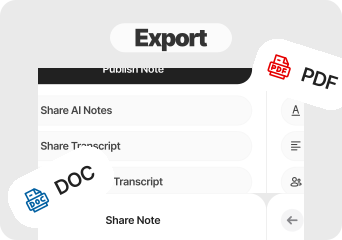
SpeechNotes exports dictated text as plain text or to Google Drive, no Markdown, no PDF, and no Word format. Audionotes exports processed notes as Markdown, Text, PDF, and Word, making it more practical for documentation or publishing workflows where format matters.
Winner : Audionotes
Online Meetings


SpeechNotes is not designed for meetings and has no meeting bot, calendar integration, or speaker diarization. Audionotes also has no bot but can record a meeting manually on mobile and generate a structured summary with speaker labels from the recording.
Winner : Depends on workflow
Integrations

SpeechNotes integrates with Google Drive for saving dictated text, Zapier for automation, and YouTube for direct video transcription, plus Gmail via its Chrome extension. Audionotes covers Notion, Zapier, and WhatsApp, a comparable automation surface with Notion and WhatsApp replacing the Google Drive and Gmail Chrome extension shortcuts.
Winner : SpeechNotes
Privacy and security


SpeechNotes uses Google Speech Recognition for live transcription, which means your audio is processed through Google's speech API rather than a dedicated AI notes infrastructure. Audionotes processes audio through its own pipeline with GDPR compliance and end-to-end encryption, without routing audio through a third-party speech service.
Winner : Depends on requirements
Best pick by persona
Find your workflow, find your tool.

Real-time dictation users who type by voice
Choose : Speechnotes ↗
Why? : SpeechNotes transcribes live speech into a text editor as you speak, faster than Audionotes for composing messages or documents if live dictation is the primary need.

Budget-conscious users who only need basic dictation
Choose : Speechnotes ↗
Why? : SpeechNotes Premium is $9.99/month, roughly half the price of Audionotes, and covers real-time voice-to-text with Google Drive saving.

Students and lecture note-takers
Choose : Audionotes ↗
Why? : SpeechNotes produces verbatim dictation text with no summaries, mind maps, or AI chat, Audionotes turns the same recording into transcripts, summaries, mind maps, flashcards, and quizzes.

Meeting note-takers
Choose : Audionotes ↗
Why? : SpeechNotes has no speaker diarization, no meeting format output, and no timestamp navigation, Audionotes produces a structured meeting summary from recorded audio.

Content creators processing YouTube or uploaded files
Choose : Audionotes ↗
Why? : Audionotes ingests YouTube links, uploaded audio, and images alongside live recording, SpeechNotes is limited to live dictation and YouTube URL transcription via the web app.

Personal knowledge base builders
Choose : Audionotes ↗
Why? : SpeechNotes has no note library with search, tags, or folders, Audionotes stores everything with full-text search and organises across mixed input types.
Pricing and value

$8.33
/month
Billed Annually - $99.99/year
Audionotes is better when you need a deeper AI note-taking system with stronger summaries, organization, and downstream outputs See Audionotes voice note features →
Audionotes offers a free plan and paid plans starting at $19.99/month or $89.99/year.
Audionotes costs more because it does materially more

$4.99
/month
$14.99/year
SpeechNotes is better only for users who want something basic and inexpensive and do not expect much beyond raw dictation.
SpeechNotes has a free plan, with paid plans starting at $4.99/month or $14.99/year.
SpeechNotes is cheaper, but the value proposition is thin if the product cannot be trusted with important notes.
Known limitations
No tool is perfect. Here's what to expect.

No desktop dictation mode or system-level text injection
Transcription requires an internet connection; no fully local processing
Less suited to high-volume, continuous dictation workflows
No native integration with desktop apps like Word or Google Docs

The review profile is thin, which makes it harder to build confidence in the product.
Some users report catastrophic note loss, which is the worst kind of failure in this category.
Support appears weak or non-responsive in complaints.
The feature set is so limited that built-in dictation can feel like a close substitute.
Key takeaway: SpeechNotes turns speech into raw text efficiently; Audionotes turns it into something you can actually do something with.

Switching from SpeechNotes to Audionotes
The common reason to leave SpeechNotes is simple: you want an app that feels dependable and modern rather than merely functional on paper.
Switch if you feel boxed into SpeechNotes’s narrower workflow and want one tool to handle ideas, meetings, lectures, personal notes, and mixed-media note creation too. See also: best apps to summarise voice recordings. Also evaluating Audionotes vs AudioPen or Audionotes vs Wispr Flow? Those comparisons cover similar trade-offs.
FAQ's
Is Audionotes better than SpeechNotes?
For building a note library, yes. SpeechNotes is a browser-based dictation tool, it uses Google Speech Recognition to transcribe live speech into a text editor in real time, with a save-to-Google-Drive option and a Zapier integration for automation. It is accurate, affordable at $9.99/month, and genuinely useful if real-time typing replacement is the primary need. What it does not do: store a searchable library, generate AI summaries, process uploaded files, or produce any structured output beyond verbatim dictation text. Audionotes processes recorded audio into structured notes, a fundamentally different product, not just a more expensive version of the same thing.
Can Audionotes be used for dictation like SpeechNotes?
Partially. Audionotes records and transcribes but is not designed for real-time dictation into other apps. SpeechNotes is the better choice if you want to dictate directly into a web form or document as you type.
Does SpeechNotes store and organise your notes?
SpeechNotes keeps a basic transcript history but does not build an organised note library. Audionotes stores everything, applies AI summaries, and lets you search across all your notes over time.
Which tool has better integrations?
Audionotes. SpeechNotes offers no third-party integrations beyond copying text from the browser editor, there is no API or export to other apps. Audionotes connects to Notion, Zapier, and WhatsApp, and exports to Obsidian.
Is Audionotes free?
Yes. Unlimited number of notes with 1 minute recording limit. See paid plan features →
Is SpeechNotes free?
Yes. SpeechNotes has a free plan that includes the online dictation notepad and Voice Typing Chrome extension.
Which is faster for getting started?
SpeechNotes. It runs in a browser with no account required. Audionotes requires a signup but offers significantly more functionality once set up.
What are the best SpeechNotes alternatives in 2026?
SpeechNotes is a live dictation tool for typing with your voice in a browser or Android app. For similar dictation functionality: Google Docs Voice Typing is free and browser-based. Wispr Flow and SuperWhisper handle system-level dictation on Mac. If you want to upgrade from dictation to a full AI notes workflow with summaries and archives, Audionotes is the most capable step up: it processes recorded audio rather than streaming live transcription, but adds summaries, action items, and a searchable library that SpeechNotes does not offer. The right alternative depends on whether you want real-time dictation (SpeechNotes, Wispr Flow) or recorded-audio processing (Audionotes).
What is the cheapest speech-to-text app with AI summaries in 2026?
SpeechNotes is free or very cheap for basic transcription, but it does not produce AI summaries. For the lowest cost combination of transcription plus summaries: Audionotes starts at $9/month (annual) and includes transcription, summaries, and action items. Otter.ai's free plan includes limited AI summaries. Notta's paid tier adds summaries at around $13.99/month. For users who only occasionally need summaries, Audionotes' free plan provides limited processing at no cost. For regular use, Audionotes' annual plan at $9/month is the most affordable option that includes both transcription and AI-processed summaries.
Can I switch from SpeechNotes to Audionotes?
Yes, though there is little to migrate. SpeechNotes lets you copy transcript text from the editor or save to Google Drive, paste it into Audionotes or simply start recording with Audionotes directly. Since SpeechNotes does not store audio, there are no recordings to transfer. If you're also comparing Audionotes vs Wispr Flow, that page covers another dictation-focused alternative.
Bottom-line verdict
Choose Audionotes if you want what you say to become a stored note, something searchable, AI-processed, and revisitable over time, rather than text that lands in a browser tab and has nowhere to go.
Choose SpeechNotes if live dictation into a text editor is the whole job, you work primarily in a browser on desktop or Android, and $9.99/month is the right price for a tool that does exactly one thing well.
Final recommendation: Pick SpeechNotes if the job is replacing typing with your voice and getting text into Google Drive. Pick Audionotes if you want the audio itself kept, processed into structure, and stored somewhere you can return to.
Other comparisons
Sources
Official Product Sources
App Store and Review Sources
How We Evaluated
We evaluated each product using a mix of official product documentation, pricing pages, privacy and security materials, app store listings, public review data, and hands-on testing where available. We prioritized directly verifiable claims and avoided filling gaps with assumptions.
Where possible, we compared products across the same criteria, including pricing, feature depth, export options, integrations, platform coverage, privacy controls, and review sentiment. If a detail was unclear or not publicly documented, we marked it as unspecified rather than guessing.