



Audionotes vs MacWhisper

Audionotes vs MacWhisper

Choose Audionotes if you want capture plus reuse across more formats, devices, and workflows. Choose MacWhisper if your priority is accurate local transcription on macOS with minimal cloud dependency.

Audionotes vs Granola

Key differences in 30 seconds


Audionotes

MacWhisper

Best for

Cloud-synced note-taking with summaries, custom outputs, and mobile access

Local transcription and privacy-first desktop workflows

Starting price

$19.99–$29.99 (Monthly), $89.99–$129.99 (Annual)

~€39–$79.99 (one-time purchase)

Free Plan

Yes, unlimited number of notes with 1 minute recording limit

Yes, basic transcription with on-device processing

App Store rating

4.8/5

3.8/5

First released

January 2024

Unspecified

Inputs

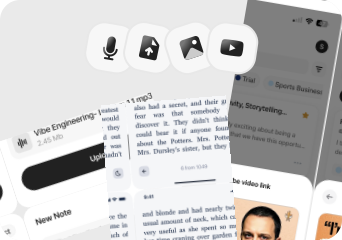
Audio, Video, Image, YouTube, Text

Audio, File Upload, YouTube, Text

Exports

Markdown, Text, Audio, Webpage

.srt, .vtt, CSV, DOTE, DOCX, PDF, Markdown, HTML, .whisper

Platforms

iPhone, iPad, Android, Web

iPhone/iPad, Desktop

Integrations

Notion, Zapier, WhatsApp

Notion, Zapier, Make.com, n8n

App Languages

English, Español, Deutsch

100+

Privacy

End-to-end encryption and GDPR listed

Privacy details are limited in public documentation

Choose Audionotes if...

You want mobile + web coverage beyond Mac-first workflows

You want mobile + web coverage beyond Mac-first workflows

you need image and broader mixed-media note capture

You need image and broader mixed-media note capture

You want easier fit for students, creators, and everyday note-taking

You want easier fit for students, creators, and everyday note-taking

you prefer a subscription product with built-in summaries and organization

You prefer a subscription product with built-in summaries and organization

Choose MacWhisper if...

Privacy and on-device or local processing matter most

You work mainly on Mac

You need broad transcript export formats

You care more about transcription than an all-in-one note system

What users are saying

We collected the most recent App Store reviews available for each product (March 2026) and independently coded every review by theme: accuracy, reliability, pricing, and usability. The summary above reflects aggregate patterns across the full set. The quoted reviews were selected as the most representative of each product's top-cited praise and top-cited complaint, chosen for typicality, not extremity.

Audionotes logo

Audionotes has earned strong reviews from people who capture a lot by voice: researchers, professionals, and students who want transcription accuracy they can depend on. Users highlight how well it handles background noise, the clean interface that gets out of the way, and the ability to shape outputs with custom prompts. The sync between mobile and desktop is a genuine strength: notes captured on your phone are immediately accessible on the web, with no manual steps. The app is consistently noted for being dependable rather than flaky. The most common friction is the one-minute recording cap on the free tier, which can feel limiting while still evaluating.

TOP PRAISE

"I've been using different transcribing apps for years, but I've totally switched over to AudioNotes, it's been the best and easiest to use so far. The team was super responsive when I had an issue too."

COMPLAINT

"The things you can do on this app for free is a voice recording for up to one minute or type out notes. It's $90 to do anything else."

MacWhisper logo

MacWhisper impresses users with its transcription accuracy, local processing for privacy, and native Mac feel. Power users love the performance on Apple Silicon, the drag-and-drop simplicity, and how well it handles technical jargon and challenging audio conditions. The developer's active community engagement is also a plus. The concerns center on what happens beyond the core transcription. Users describe a paywall where the majority of features are locked, and some report pricing discrepancies where the displayed cost doesn't match what's actually charged. Longer recordings also appear to run into issues, with some users finding the app only transcribes a fraction of their audio.

TOP PRAISE

"This app has given me my weekends back... With the latest Turbo model, I can transcribe the entire story in 82 minutes. This is on a base model M2 Mac mini."

COMPLAINT

"Tried to transcribe a 30 minute file. It only allowed me to transcribe 4 minutes worth. This is a rip off!"

Real-world benchmarks

30-minute two-speaker English conversation with moderate background noise, tested March 2026 by the Audionotes team. Transcription accuracy scored by a human evaluator; summary quality scored by an LLM judge against a fixed rubric; recording reliability derived from App Store review patterns. Full methodology and scoring rubrics.

MAX RECORDING

180 min

Audionotes

Unlimited

MacWhisper

TRANSCRIPTION

9/10

Audionotes

7/10

MacWhisper

SUMMARY QUALITY

9/10

Audionotes

6/10

MacWhisper

OFFLINE CAPTURE

Yes

Audionotes

Yes

MacWhisper

SPEAKER DIARIZATION

Yes

Audionotes

Yes

MacWhisper

RELIABILITY

8/10

Audionotes

4/10

MacWhisper

Takeaway: Audionotes delivered more consistent transcription accuracy; MacWhisper showed more reliability variability in recording quality.

Feature-by-feature comparison

Recording

Audionotes logo
MacWhisper logo

MacWhisper is a Mac-only desktop transcription tool with no mobile app, no browser version, and no Windows support, it records or processes audio locally on your Mac using OpenAI's Whisper model without sending audio to a server. Audionotes works on iOS, Android, and web, supporting mobile recording alongside desktop use.
Winner : Depends on workflow

Transcription

Audionotes logo
MacWhisper logo

MacWhisper runs Whisper models locally on your Mac, you choose the model size from tiny to large-v3, and transcription works without an internet connection. Audionotes sends audio to cloud-based models for consistent quality without hardware dependency, but requires connectivity and does not give you control over which Whisper model version is used.
Winner : Depends on workflow

Summaries

Audionotes logo
MacWhisper logo

MacWhisper is a transcription tool only, it produces accurate text output but does not generate AI summaries, mind maps, or structured notes from the transcript. Audionotes automatically generates summaries, key points, and optionally a mind map from the same recording, turning transcription into actionable note content.
Winner : Depends on use case

Chat and reuse

Audionotes logo

MacWhisper does not include an AI chat layer, once you have the transcript, reuse is through copy-paste into other tools. Audionotes supports AI-powered follow-up on every note, letting you ask questions, generate new documents, or extract specific information from a recording without leaving the app.
Winner : Audionotes

Organization

Audionotes logo

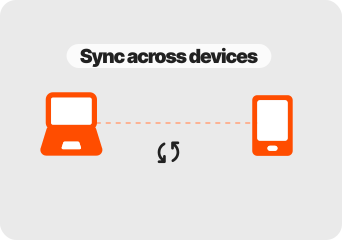
MacWhisper organises transcription jobs in a history panel within the desktop app; there is no cross-device sync, no tagging system, and no searchable cloud library. Audionotes syncs notes across mobile and desktop with tags, folders, and full-text search, a complete personal knowledge layer rather than a local transcription log.
Winner : Audionotes

Course Material and File Uploads

Audionotes logo
MacWhisper logo

MacWhisper accepts audio and video file uploads in most common formats including MP3, MP4, M4A, WAV, and FLAC, it handles a wide range of audio formats for pure transcription. Audionotes accepts audio, YouTube links, images, and text, but MacWhisper's format support for direct transcription of existing files is broader.
Winner : Depends on input type

Export

MacWhisper logo

MacWhisper exports transcripts as TXT, SRT, VTT, CSV, JSON, and several subtitle formats, one of the broadest export menus in this category, particularly useful for video production workflows. Audionotes exports processed notes as Markdown, Text, PDF, and Word, more document-oriented and less subtitle-oriented.
Winner : MacWhisper

Online Meetings

MacWhisper logo

MacWhisper cannot join online meetings automatically; recording requires a separate system audio capture tool, with the resulting file then imported for transcription. Audionotes also has no meeting bot but records calls directly on mobile and generates structured meeting notes from the recording in one step.
Winner : Depends on workflow

Integrations

Audionotes logo
MacWhisper logo

MacWhisper has no third-party integrations, it is a standalone desktop transcription tool and exports are handled manually. Audionotes connects to Notion, Zapier, and WhatsApp for distributing notes into other workflows, which is a significant difference for anyone who wants notes to move automatically.
Winner : Depends on workflow

Privacy and security

Audionotes logo
MacWhisper logo

MacWhisper's local processing model is its clearest privacy argument: audio is never sent to a server, and all transcription happens on your device using the Whisper model you choose. Audionotes processes audio in the cloud with GDPR compliance and end-to-end encryption, a different privacy model that supports richer AI output at the cost of local-only processing.
Winner : MacWhisper for local-first workflows; Audionotes for broader product coverage

Best pick by persona

Find your workflow, find your tool.

Privacy-first transcribers who want nothing in the cloud

Privacy-first transcribers who want nothing in the cloud

Choose : MacWhisper
Why? : MacWhisper runs Whisper locally on your Mac, audio never leaves your device, and you choose the model size from tiny to large-v3.

Video creators who need subtitle files

Video creators who need subtitle files

Choose : MacWhisper
Why? : MacWhisper exports SRT, VTT, and multiple subtitle formats natively, Audionotes has no subtitle export and is not designed for video production workflows.

Mobile users and on-the-go recorders

Mobile users and on-the-go recorders

Choose : Audionotes
Why? : MacWhisper is Mac-only with no mobile app, if any recording happens on a phone or away from a desk, Audionotes is the only option.

Students and mixed-media note-takers

Students and mixed-media note-takers

Choose : Audionotes
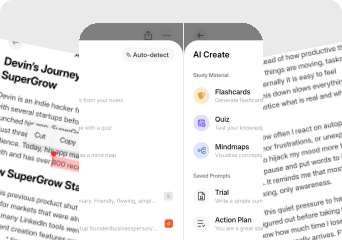
Why? : MacWhisper produces a transcript and nothing else, no summaries, no mind maps, no AI chat. Audionotes turns the same audio into transcripts, summaries, mind maps, flashcards, and quizzes.

One-time transcription jobs with no subscription preference

One-time transcription jobs with no subscription preference

Choose : MacWhisper
Why? : MacWhisper is a one-time purchase at $25–$29 with no recurring fee, cheaper over any period longer than a few months if transcription is the only need.

Note library builders who want search and sync

Note library builders who want search and sync

Choose : Audionotes
Why? : MacWhisper has no cloud library, no cross-device sync, and no tagging, Audionotes stores every note with full-text search, folders, and mobile access.

Pricing and value

Audionotes logo

$8.33

/month

Billed Annually - $99.99/year

  1. Audionotes is better when you want the more flexible AI notes product overall.

  2. It is the better choice for people who capture ideas in many formats and want a cross-platform system for turning them into structured outputs.

  3. Audionotes offers a free plan and paid plans starting at $19.99/month or $89.99/year.

  4. Audionotes provides broader value if you need the note to become something more than a transcript.

MacWhisper logo

€64

One time payment

  1. MacWhisper is better when the file starts as audio and the main job is turning it into text privately on a Mac.

  2. MacWhisper is a one-time purchase at ~€39–$79.99 with no subscription required.

  3. MacWhisper can be excellent value for privacy-conscious Mac users who mostly need transcription.

Known limitations

No tool is perfect. Here's what to expect.

Audionotes logo
  • No desktop dictation mode or system-level text injection

  • Transcription requires an internet connection; no fully local processing

  • Less suited to high-volume, continuous dictation workflows

  • No native integration with desktop apps like Word or Google Docs

MacWhisper logo
  • Most of the praise is about transcription itself; the workflow beyond transcription is much less developed.

  • Several users feel too much of the product sits behind the paid tier relative to the free experience.

  • Longer files do not always process reliably based on user reports.

  • It is Mac-centric by design, so it is not the strongest choice for users who need broad device coverage.

Key takeaway: MacWhisper keeps everything local and private; Audionotes trades that for summaries, mobile access, and a richer output layer.

MacWhisper to Audionotes

Switching from MacWhisper to Audionotes

People usually switch from MacWhisper to Audionotes when they want less of a transcription utility and more of a full workflow around the resulting content.

Switch if you feel boxed into MacWhisper’s narrower workflow and want one tool to handle ideas, meetings, lectures, personal notes, and mixed-media note creation too. See also: best apps to summarise voice recordings. Also evaluating Audionotes vs AudioPen or Audionotes vs Notta? Those comparisons cover similar trade-offs.

FAQ's

Is Audionotes better than MacWhisper?

For a full notes system, yes. MacWhisper is a local transcription tool for macOS, you feed it an audio or video file and it returns a transcript using on-device Whisper, with your choice of model size from tiny to large-v3 and no internet connection required. That is powerful if privacy and offline access matter. What MacWhisper does not do: store notes in a searchable library, generate summaries, support mobile recording, or offer any AI output beyond the raw transcript. It is also Mac-only. Audionotes adds everything beyond the transcript, but processes audio in the cloud rather than locally.

Does Audionotes work offline like MacWhisper?

No. Audionotes processes all transcription and summaries in the cloud. MacWhisper runs Whisper locally on macOS, so it works fully offline and keeps all audio on your machine.

Which app is better for transcription accuracy?

Both use Whisper-based models and accuracy is comparable for most content. MacWhisper gives you more control over model size and language settings, which can help with technical vocabulary or unusual accents.

Which tool has better integrations?

They integrate differently. MacWhisper exports transcripts as plain text, SRT, VTT, and JSON and supports AppleScript automation on macOS. Audionotes connects to Notion, Zapier, and WhatsApp, and exports to Obsidian. MacWhisper gives more format and scripting control; Audionotes gives broader app integration.

Is Audionotes free?

Yes. Unlimited number of notes with 1 minute recording limit. See paid plan features →

Is MacWhisper free?

Yes. MacWhisper is free to download and includes basic transcription with on-device processing.

Which is better for batch transcription of multiple files?

MacWhisper handles batch file processing well on Mac. Audionotes is designed around individual recordings or single uploads rather than bulk workflows.

What are the best MacWhisper alternatives in 2026?

MacWhisper's core value is fast, private, offline transcription using Whisper on Apple Silicon. The closest alternatives: Whisper Transcription and Aiko are free or near-free Mac apps with similar local processing. For local processing on Windows or Linux, Whisper.cpp and tools built on it fill the same role. Audionotes is a cloud-based alternative that adds AI summaries and action items on top of transcription, at the cost of audio being processed on its servers. If privacy and offline operation are non-negotiable, MacWhisper remains the strongest Mac-native option. If you want processed output beyond raw transcription and are comfortable with cloud processing, Audionotes covers more.

Which is better for transcription accuracy in 2026: local AI on Mac or cloud-based AI?

Local AI (MacWhisper, Whisper.cpp on Apple Silicon) uses OpenAI's Whisper model, which is excellent for clean single-speaker audio. Cloud-based AI like Audionotes uses tuned models that can apply additional post-processing and often handle accented speech, overlapping speakers, and background noise better. For studio-quality recordings or clean solo narration, local Whisper-based tools match cloud accuracy well. For real-world audio, field recordings, or multi-speaker conversations, cloud models trained on more varied data often outperform local Whisper on consumer hardware. The practical trade-off is privacy and cost (local wins) versus robustness across varied audio conditions (cloud wins for messy audio).

What is the best offline transcription app for Mac in 2026?

MacWhisper is the most polished offline transcription app for Mac in 2026. It uses Whisper models running directly on Apple Silicon, supports batch processing of multiple files, and keeps all audio on your device. Aiko is a free alternative with a simpler interface and the same Whisper-based engine. Whisper Transcription is another paid option with a cleaner UI for non-technical users. For users who need the transcription to feed into summaries and action items after processing, exporting from MacWhisper to Audionotes (or another AI notes tool) is a workable combination.

Can I switch from MacWhisper to Audionotes?

Yes. MacWhisper exports transcripts in plain text, SRT, VTT, CSV, and JSON. You can import original audio files directly into Audionotes to regenerate transcripts with AI summaries, or bring in the MacWhisper text exports as note content. Local processing and subtitle-format exports are the two capabilities you will leave behind. If you're also comparing Audionotes vs Wispr Flow, that page covers another transcription-focused alternative.

Bottom-line verdict

Choose Audionotes if you want to do something with transcripts after you have them, search them, chat with them, summarise them, export them as structured notes, across mobile and desktop without being tied to a single Mac.

Choose MacWhisper if all you need is the most accurate local transcript possible from an audio file, privacy is the hard requirement, and a one-time $25–$29 purchase is better than a monthly subscription for your use case.

Final recommendation: Pick MacWhisper if you have files to transcribe, want them processed locally with no ongoing cost, and plan to take the text elsewhere. Pick Audionotes if you want notes to live somewhere searchable, generate summaries automatically, and be accessible from any device.

Sources

How We Evaluated

We evaluated each product using a mix of official product documentation, pricing pages, privacy and security materials, app store listings, public review data, and hands-on testing where available. We prioritized directly verifiable claims and avoided filling gaps with assumptions.

Where possible, we compared products across the same criteria, including pricing, feature depth, export options, integrations, platform coverage, privacy controls, and review sentiment. If a detail was unclear or not publicly documented, we marked it as unspecified rather than guessing.