Audionotes vs Wispr Flow
Choose Audionotes if you want captured information to live inside a notes system. Choose Wispr Flow if you mainly want to speak polished text directly into other apps.

On this page
Key differences in 30 seconds
Audionotes | Wispr Flow | |
|---|---|---|
Best for | Organised notes from voice, meetings, or text, with structure you can revisit ↗ | Fast dictation and turning spoken thoughts into text ↗ |
Starting price | $19.99–$29.99 (Monthly), $89.99–$129.99 (Annual) ↗ | $4.49 (Weekly), $15.00 (Monthly), $143.99 (Annual) ↗ |
Free Plan | Yes, unlimited number of notes with 1 minute recording limit ↗ | Yes, 2,000 words/week on desktop and 1,000 words/week on iPhone (Flow Basic) ↗ |
App Store rating | 4.8/5 ↗ | 4.79/5 ↗ |
First released | January 2024 ↗ | May 2025 ↗ |
Inputs | Audio, Video, Image, YouTube, Text ↗ | Text ↗ |
Exports | Markdown, Text, Audio, Webpage ↗ | Not disclosed (dictates directly into text boxes) ↗ |
Platforms | iPhone, iPad, Android, Web ↗ | iPhone/iPad, Android, Desktop ↗ |
Integrations | Notion, Zapier, WhatsApp ↗ | Notion, Slack, Gmail, Google Docs ↗ |
App Languages | English, Español, Deutsch ↗ | English ↗ |
Privacy | End-to-end encryption and GDPR listed ↗ | SOC 2, ISO 27001 listed ↗ |
Choose Audionotes if...

You want stored notes, summaries, exports, and search

You need voice plus image/video/YouTube workflows

You want broader reuse beyond typing into other apps

You care about note organization, not just dictation speed
Choose Wispr Flow if...
Your main goal is replacing typing
You want voice input inside other apps
You care more about polished dictation than stored meeting notes
You work across writing, messaging, and coding tools
What users are saying
We collected the most recent App Store reviews available for each product (March 2026) and independently coded every review by theme: accuracy, reliability, pricing, and usability. The summary above reflects aggregate patterns across the full set. The quoted reviews were selected as the most representative of each product's top-cited praise and top-cited complaint, chosen for typicality, not extremity.

Audionotes has earned strong reviews from people who capture a lot by voice: researchers, professionals, and students who want transcription accuracy they can depend on. Users highlight how well it handles background noise, the clean interface that gets out of the way, and the ability to shape outputs with custom prompts. The sync between mobile and desktop is a genuine strength: notes captured on your phone are immediately accessible on the web, with no manual steps. The app is consistently noted for being dependable rather than flaky. The most common friction is the one-minute recording cap on the free tier, which can feel limiting while still evaluating.
TOP PRAISE
"Fantastic app!! This is one of the best audio to note recorders. Great use of AI, reliable app, and excellent results. The development pace and consistent improvement make this a great value."
COMPLAINT
"Want to love this more but I don't want it to use AI until I choose, that option isn't there. The simple summary made up a lot of 'informational' text I don't need, and it creates a delay."

Wispr Flow impresses users with its dictation accuracy, contextual understanding, and the way it cleans up spoken language into polished text. Power users who've dictated hundreds of thousands of words praise the Mac experience, and users with hand or wrist injuries describe it as genuinely life-changing for accessibility. The iOS implementation, however, presents a different picture. Users describe it as an early-stage product with keyboard integration issues, frequent crashes, rapid switching between keyboards, and privacy questions around requiring full access to all typed data. Customer support responsiveness is reported as limited, battery drain is noted as a concern, and the $15/month price point is questioned given the mobile experience. The Mac app appears solid; the iOS app appears to still be maturing.
TOP PRAISE
"I've dictated 400,000+ words with this app, so I'm very much a power user. When it works, it's excellent."
COMPLAINT
"This is a good idea and works fairly well on Mac OS, however, it's basically a guinea pig product for iOS where you are beta testing their hacked integration with iOS. They charge $15/mo."
MAX RECORDING
180 min
Audionotes
Not Disclosed
Wispr Flow
TRANSCRIPTION
9/10
Audionotes
9/10
Wispr Flow
SUMMARY QUALITY
9/10
Audionotes
NA
Wispr Flow
OFFLINE CAPTURE
Yes
Audionotes
No
Wispr Flow
SPEAKER DIARIZATION
Yes
Audionotes
No
Wispr Flow
RELIABILITY
8/10
Audionotes
8/10
Wispr Flow
Takeaway: Audionotes and Wispr Flow matched on transcription accuracy (9/10 each); Wispr Flow is optimised for real-time dictation rather than structured note capture, where Audionotes has a broader advantage.
Feature-by-feature comparison
Recording

Wispr Flow is a voice dictation tool that transcribes your speech directly into any text field on your Mac or Windows computer, email compose boxes, Notion pages, Slack messages, code editors. It is not a note-taking app; there is no note library, no storage, and no searchable history of what you dictated.
Winner : Audionotes
Transcription


Wispr Flow uses Whisper-based transcription tuned for conversational dictation, filler words and false starts are cleaned up automatically, and the result is typed directly where your cursor sits. Audionotes also transcribes audio, but stores the result as a note with AI processing; Wispr Flow's transcript disappears into whatever app you were using once it has been typed.
Winner: Wispr Flow for dictation; Audionotes for stored notes
Summaries

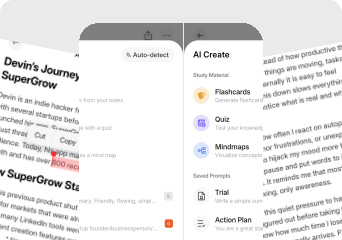
Wispr Flow has no summarisation layer, its output is the dictated text, placed in the active text field on your computer. Audionotes processes recorded audio into structured summaries, mind maps, and document outputs, making it a fundamentally different product despite both involving voice and transcription.
Winner : Audionotes
Chat and reuse

Wispr Flow does not retain notes or support AI chat on past recordings; there is no memory of what you said yesterday or last week. Audionotes stores every note and supports AI follow-up, making it useful for building a growing knowledge base from voice input rather than just dictating in the moment.
Winner : Audionotes
Organization

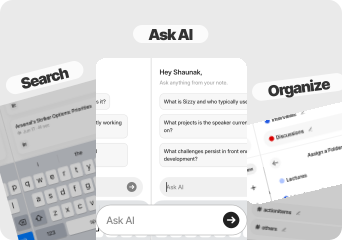
Wispr Flow has no note library, no folders, no tags, and no history, it is a dictation keyboard, not a note management tool. Audionotes keeps every note with full-text search, tags, and folders, a complete knowledge layer that Wispr Flow deliberately does not try to provide.
Winner : Audionotes
Course Material and File Uploads

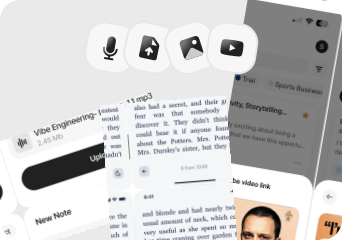
Wispr Flow does not accept audio file uploads; it only transcribes live voice input through your microphone in real time while you are typing. Audionotes accepts audio uploads, YouTube links, images, and text, useful for processing content that already exists rather than only what you capture live.
Winner : Audionotes
Export

Wispr Flow has no export function, text is typed into the application where you are working, and that is where it stays. Audionotes exports notes as Markdown, Text, PDF, and Word, and can publish them as a shareable webpage, necessary features for content that needs to move beyond the app it was captured in.
Winner : Audionotes
Online Meetings


Wispr Flow does not capture or process meetings; it transcribes what you say in the moment into whichever text field is active on your screen. Audionotes also has no meeting bot but can record calls manually, transcribe them, and generate structured summaries, Wispr Flow cannot serve as a meeting notes tool.
Winner : Depends on workflow
Integrations

Wispr Flow works system-wide, it is effectively clipboard-level integration into any app that has a text input on your Mac or Windows desktop. Audionotes has explicit integrations with Notion, Zapier, and WhatsApp, but functions as a separate app rather than a system-level keyboard replacement.
Winner : Depends on workflow
Privacy and security


Wispr Flow processes audio locally using on-device Whisper models in its privacy mode; in standard mode, audio is sent to the cloud for faster processing. Audionotes processes all audio in the cloud with GDPR compliance and end-to-end encryption, neither option involves on-device-only processing for the full AI output layer.
Winner : Depends on requirements
Best pick by persona
Find your workflow, find your tool.

Heavy keyboard users who want to dictate everywhere
Choose : Wispr Flow ↗
Why? : Wispr Flow types your speech directly into any text field on Mac or Windows, emails, Slack, Notion, code editors, without switching apps or copying text.

Professionals who draft long emails or documents by voice
Choose : Wispr Flow ↗
Why? : Wispr Flow's filler-word cleanup and smart punctuation produce cleaner dictation output than most voice-to-text tools, and the text lands exactly where you need it.

Note library builders who want to search past recordings
Choose : Audionotes ↗
Why? : Wispr Flow stores nothing, there is no library, no history, and no way to retrieve what you said yesterday. Audionotes stores every note with full-text search.

Meeting note-takers and interviewers
Choose : Audionotes ↗
Why? : Wispr Flow cannot capture or summarise a meeting, it only transcribes live dictation while your cursor is in a text field. Audionotes records calls and generates structured summaries.

Students and lecture note-takers
Choose : Audionotes ↗
Why? : Wispr Flow has no academic output layer, no summaries, no mind maps, no searchable transcript. Audionotes turns lecture recordings into transcripts, summaries, mind maps, flashcards, and quizzes.

Content creators processing YouTube or uploads
Choose : Audionotes ↗
Why? : Audionotes ingests YouTube links, uploaded audio, and images alongside voice, Wispr Flow only processes what you dictate live into an active text field.
Pricing and value

$8.33
/month
Billed Annually - $99.99/year
Audionotes is better when you want an actual note-taking product rather than a dictation layer.
Its biggest strengths here are stored notes, summaries, exports, and multi-input capture See Audionotes voice note features →
Audionotes offers a free plan and paid plans starting at $19.99/month or $89.99/year.
Audionotes is the better value if your need is note capture, summarization, and reuse rather than cross-app text entry.

$15
/month
$143.99/year
Wispr Flow is better when the pain point is typing friction, not note organization.
For accessibility and high-volume dictation, that is a meaningful distinction.
Wispr Flow is $16.67/month on annual billing ($200/year), more expensive annually than Audionotes
Wispr Flow can justify its price for heavy dictation users, especially on Mac.
Known limitations
No tool is perfect. Here's what to expect.

No desktop dictation mode or system-level text injection
Transcription requires an internet connection; no fully local processing
Less suited to high-volume, continuous dictation workflows
No native integration with desktop apps like Word or Google Docs

The iOS experience is much less mature than the Mac app according to reviews.
Keyboard integration and stability issues show up repeatedly in mobile feedback.
Some users are uncomfortable with the level of access required for the keyboard to function fully.
The price is hard to justify if you are not a frequent dictation user.
Key takeaway: Wispr Flow disappears into your keyboard; Audionotes builds a library of everything you've said.

Switching from Wispr Flow to Audionotes
Switching from Wispr Flow to Audionotes usually means moving from dictation-as-input toward notes-as-workflow. They can even coexist, but Audionotes becomes the better home for captured knowledge.
Switch if you feel boxed into Wispr Flow’s narrower workflow and want one tool to handle ideas, meetings, lectures, personal notes, and mixed-media note creation too. See also: best apps to summarise voice recordings. Also evaluating Audionotes vs AudioPen or Audionotes vs SpeechNotes? Those comparisons cover similar trade-offs.
FAQ's
Is Audionotes better than Wispr Flow?
For audio notes and post-capture processing, yes. Wispr Flow is a real-time desktop dictation keyboard, it injects transcribed speech directly into whatever text field is active on your Mac or Windows computer, cleans up filler words, and that is the entire product. There is no note library, no storage, no history of what you said, and no AI output beyond the cleaned-up text. It is excellent at that narrow job and priced at $200/year for it. Audionotes stores every recording, generates summaries and mind maps, and builds a searchable library over time, a completely different product that many people use alongside Wispr Flow rather than instead of it.
Can Audionotes replace Wispr Flow for dictation?
Not for real-time dictation. Wispr Flow injects text into your current app as you speak. Audionotes captures audio and processes it after the fact. They serve genuinely different moments in a workflow.
Does Audionotes support system-level dictation into desktop apps?
No. Audionotes does not integrate at the operating system level. For dictating directly into emails, Slack, or Google Docs, Wispr Flow is the right tool.
Which tool has better integrations?
They integrate with the world in fundamentally different ways. Wispr Flow works inside any desktop app by injecting text at the cursor, it operates at the OS level rather than through API integrations. Audionotes connects to Notion, Zapier, and WhatsApp, and exports to Obsidian. Neither has deep two-way integrations; they solve different problems.
Is Audionotes free?
Yes. Unlimited number of notes with 1 minute recording limit. See paid plan features →
Is Wispr Flow free?
Yes. Wispr Flow's free plan (Flow Basic) includes 2,000 words per week on desktop and 1,000 words per week on iPhone.
Which app is better for writing with your voice?
Wispr Flow is better for writing while you work. Audionotes is better for capturing ideas that you want to review later as organised notes.
What are the best Wispr Flow alternatives in 2026?
Wispr Flow is a Mac dictation tool that works system-wide, turning voice into text in any app. The closest alternatives: SuperWhisper offers similar system-level dictation on Mac with local Whisper processing. Apple's built-in dictation is free and works in most apps, though it is less accurate on accented speech. Audionotes is a different category: it records audio and processes it into notes after the fact rather than dictating live into other apps. For a direct Wispr Flow replacement on Mac, SuperWhisper is the most capable alternative. If you want to shift from live dictation to a recorded-note workflow with summaries and archives, Audionotes is the upgrade path.
What is the best AI dictation app for Mac in 2026?
For system-wide dictation on Mac in 2026, Wispr Flow and SuperWhisper are the two strongest options. Wispr Flow uses cloud processing for higher accuracy and a learned personal vocabulary over time. SuperWhisper runs Whisper locally on Apple Silicon for offline, private dictation across any app. Apple Dictation is built in and free, adequate for casual use but less accurate than either. Audionotes is not a dictation tool: it does not type into other apps. If you want to capture a thought by voice and then use it as a note, Audionotes. If you want voice-to-text in Gmail, Notion, or Slack as you work, Wispr Flow or SuperWhisper.
Which voice-to-text app works across all apps on Mac and iPhone?
For cross-app voice-to-text on Mac, Wispr Flow and SuperWhisper both offer system-wide keyboard shortcuts that dictate into any focused text field. On iPhone, Apple Dictation (the microphone button on the iOS keyboard) is the most universal option with no installation needed. Wispr Flow is Mac-only and does not have an iPhone dictation mode. For users who want consistent voice-to-text behaviour across both Mac and iPhone with AI enhancement, the practical combination is Wispr Flow on Mac plus Audionotes on iPhone, each handling what it does best.
Can I switch from Wispr Flow to Audionotes?
Yes, though the two products do not really overlap. Wispr Flow handles real-time desktop dictation into other apps; Audionotes handles recorded audio notes with AI processing. Many users keep both. If fully switching, Wispr Flow stores nothing to export, start recording in Audionotes directly and the library builds from there. If you're also comparing Audionotes vs SpeechNotes, that page covers another dictation-focused alternative.
Bottom-line verdict
Choose Audionotes if you want recordings to become a library, searchable, AI-processed, organised, not just text that appears in whichever app you were using at the moment you spoke.
Choose Wispr Flow if the problem is speed of text input on a desktop and you want to draft emails, Slack messages, or documents by voice without switching apps, copying text, or running a separate recorder.
Final recommendation: Pick Wispr Flow if dictation speed and cross-app text placement are the bottleneck in your day. Pick Audionotes if capture and storage are the bottleneck, you need recordings to persist, be searchable, and generate summaries.
Other comparisons
Sources
Official Product Sources
App Store and Review Sources

How We Evaluated
We evaluated each product using a mix of official product documentation, pricing pages, privacy and security materials, app store listings, public review data, and hands-on testing where available. We prioritized directly verifiable claims and avoided filling gaps with assumptions.
Where possible, we compared products across the same criteria, including pricing, feature depth, export options, integrations, platform coverage, privacy controls, and review sentiment. If a detail was unclear or not publicly documented, we marked it as unspecified rather than guessing.