Connect Audionotes
with Notion
You can seamlessly send all your notes from Audionotes to Notion.
How to Connect Audionotes
with Notion
Log in to Audionotes
- Open Audionotes Web and log in to your account.
- From the left sidebar, go to Integrations.
- Click Connect on the Notion integration card.
Follow the steps below to duplicate the Audionotes Notion template
Each new note you create will automatically send the following fields to your duplicated template: Title, Transcript, AI Notes, Created At, Note Type, Speaker Transcript
Step 1: Duplicate Our Notion Template
First, you'll need to duplicate our pre-built Notion template to your workspace. Click Connect on the Notion integration card.

Step 2: Authenticate Your Notion Account
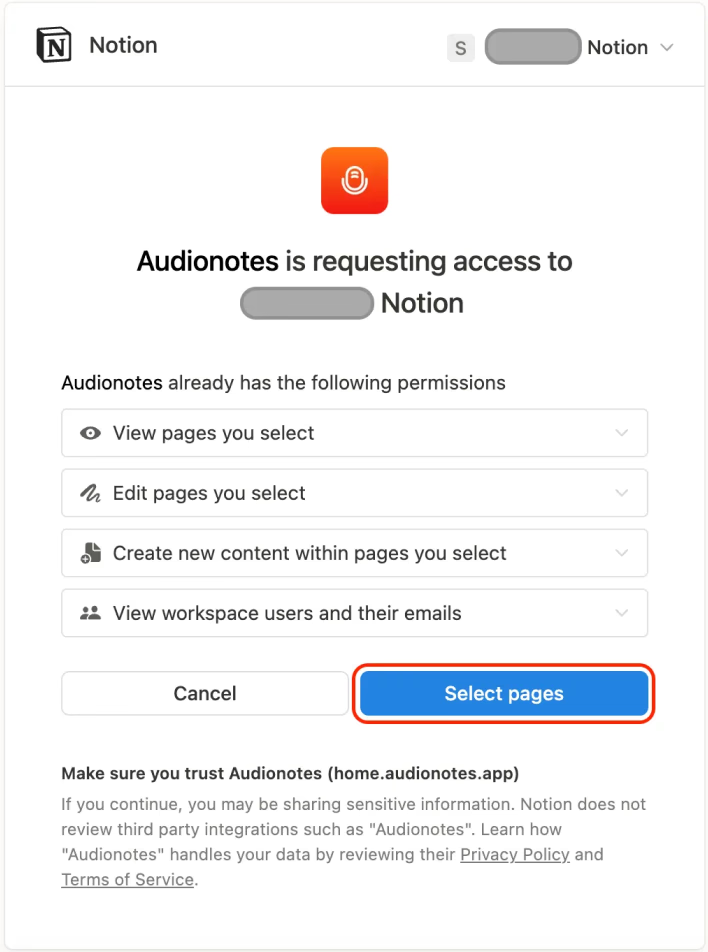
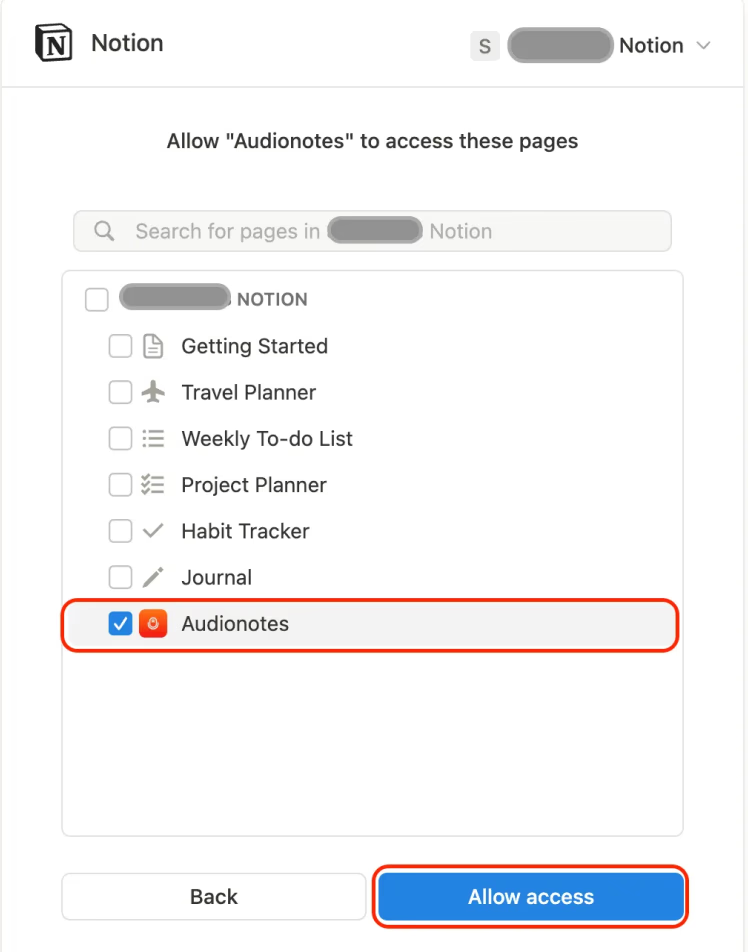
Authenticate the duplicated template so that we can send you your notes to Notion. The below window will open. Click on 'Select pages'. Choose the duplicated template and then click on Allow access to verify.
Step 3: Link Your Template
Copy the duplicated notion URL. Paste the URL in the above input box and click on 'Connect'.

Learn How to Take Smarter Notes
Explore blogs, guides, tips, and real use cases on AI note-taking, productivity, and getting more value from every note with Audionotes.
How to Send Audio Notes to Notion - Easy Guide
Efficient note-taking has become paramount for individuals seeking to enhance productivity and organization. Audionotes, now offers seamless integration with Notion, a popular collaborative workspace.
Frequently Asked Questions


Save time and stay organised with Audionotes
Without Audionotes


With Audionotes


Get the Audionotes app today
For mobile
Scan the QR code below

Still not sure thatAudionotes.app isright for you?
Let ChatGPT, Claude, or Perplexity help you to choose.
Click a button and see what your favourite AI says about Audionotes.app.


