Recording



Voicenotes documents voice memos, in-person and online meeting capture, and dictation. Personal reflection can be one use, but it is not accurate to describe the product as a journal-only tool. Winner: Depends on workflow
Choose Audionotes if you want the more complete product across capture, transformation, and export. Choose Voicenotes if you want one voice-first product for memos, meetings, and dictation.
Fact-checked August 29, 2026
Review methodology: We collected the most recent App Store reviews available for each product (March 2026) and independently coded every review by theme: accuracy, reliability, pricing, and usability. The summary above reflects aggregate patterns across the full set. The quoted reviews were selected as the most representative of each product's top-cited praise and top-cited complaint, chosen for typicality, not extremity.

Audionotes has found a strong audience among people who think out loud and want something useful on the other end of a recording. Users describe it as genuinely changing how they capture thoughts, from daily to-do lists to quick reminders that don't get lost. Cross-device sync is a real strength here: something captured on your phone shows up on the web instantly, and offline mode means it works even without a connection. The app is consistently noted for being dependable, with the dev team's responsiveness reinforcing that reliability over time. The main friction some users mention is preferring more control over when the AI processes a note.
"I use this app daily to de-clutter my brain and its voice feature simply comes so handy, as I don't like typing."
Source: Audionotes on the App Store
"Tried to purchase an annual plan numerous times with every different payment option available and every time there was an error."
Source: Audionotes on the App Store

Voicenotes clicks with users who want a simple, AI-powered way to capture and organize their thoughts throughout the day. The transcription accuracy, clean interface, and ability to query back through your own voice notes with AI are consistently praised as standout features. Developer responsiveness is frequently highlighted, with users noting new features shipping within days of requests. That said, the app struggles with recordings that mysteriously vanish, notes that become permanently inaccessible after crashes, and processing delays that can stretch for hours. Billing complaints about continued charges after cancellation and misleading subscription terms are also common. It's a thoughtful product with real potential, though reports of lost recordings with no recovery or refund options raise trust concerns.
"This app is well-designed, easy to use, and soooooo helpful. It's been the perfect place to capture all my ideas on the go."
Source: Voicenotes on the App Store
"I recorded an important message and I can't retrieve it. Voicenotes says I need to delete and reload the app in which I will lose the message I can't retrieve. Now they tell me they can't refund my purchase. Scam, don't buy it."
Source: Voicenotes on the App Store
30-minute two-speaker English conversation with moderate background noise, tested March 2026 by the Audionotes team. Transcription accuracy scored by a human evaluator; summary quality scored by an LLM judge against a fixed rubric; recording reliability derived from App Store review patterns. Full methodology and scoring rubrics.
| Max Recording 360 minAudionotes Not benchmarkedVoicenotes | Transcription 9/10Audionotes 7/10Voicenotes | Summary Quality 9/10Audionotes 6/10Voicenotes | Offline Capture YesAudionotes YesVoicenotes | Speaker Diarization YesAudionotes YesVoicenotes | Reliability 8/10Audionotes 4/10Voicenotes |
Audionotes delivered more consistent transcription accuracy; Voicenotes showed more reliability variability in recording quality.
Voicenotes documents voice memos, in-person and online meeting capture, and dictation. Personal reflection can be one use, but it is not accurate to describe the product as a journal-only tool. Winner: Depends on workflow
Voicenotes transcribes voice recordings automatically, producing a text record that becomes queryable in the chat interface. Audionotes produces similar transcripts but also generates structured summaries, key points, and mind maps from the same recording, more processing layers for the same audio input. Winner: Depends on workflow
Voicenotes documents transcript and summary minutes on its Free plan and unlimited transcripts and summaries on Pro. Compare the resulting meeting or memo output with Audionotes for the workflow you need. Winner: Depends on use case
Voicenotes offers AI-assisted reuse of recorded content. Its documented Dictation feature is a distinct workflow, so check the current plan before assuming it is included with every subscription. Winner: Depends on workflow

Voicenotes keeps a history of captured content; its Free plan documents 30 days of visible history, while Pro documents unlimited history. Audionotes uses tags and folders across mixed content types. Winner: Audionotes
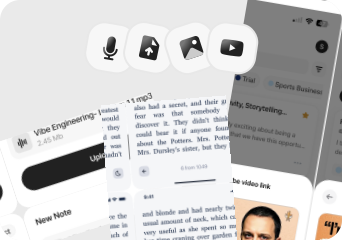
Voicenotes is designed around voice capture, including memos, meetings, and dictation. Audionotes also accepts audio uploads, YouTube links, images, and text, so choose based on the inputs you need to keep together. Winner: Depends on input type
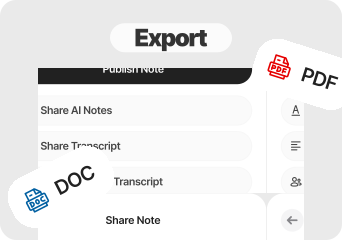
Audionotes offers Markdown, Text, PDF, Word, and shareable webpage outputs. Review Voicenotes' current export options directly if export format is a deciding requirement. Winner: Audionotes
Voicenotes documents in-person and online meeting capture. Audionotes also processes user-started meeting recordings into transcripts and structured outputs; compare each product's current meeting workflow before deciding. Winner: Depends on workflow
Voicenotes documents integrations as a paid-plan benefit. Audionotes supports Notion, Zapier, and WhatsApp. Check the current Voicenotes plan and integration list before relying on a specific connector. Winner: Depends on workflow
Voicenotes' official site states that it is SOC 2 Type II and GDPR compliant and describes the product as private by design. Audionotes also documents GDPR compliance and encryption in transit and at rest. Review each product's current privacy materials for your requirements. Winner: Depends on requirements
Find your workflow, find your tool.

Choose : Voicenotes
Why? : Voicenotes is a voice-first option for recording memos and turning speech into text. Its product scope also includes meetings and dictation, not only personal journaling.

Choose : Voicenotes
Why? : The cross-library AI chat in Voicenotes lets you ask questions across all your past entries, useful for finding patterns and connections in personal voice archives.

Choose : Audionotes
Why? : Both products address meeting capture. Choose Audionotes when its mixed-input library and structured outputs are the better fit; verify Voicenotes' current meeting and plan details for your use case.

Choose : Audionotes
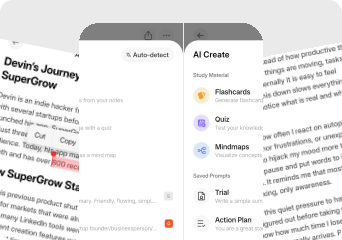
Why? : Audionotes generates transcripts, summaries, mind maps, flashcards, and quizzes from lecture recordings. Voicenotes may suit voice-first capture; compare the output you need for study.

Choose : Audionotes
Why? : Audionotes accepts YouTube links, images, and uploaded files alongside voice. Voicenotes covers voice memos, meetings, and dictation, so mixed-media input needs are the clearer differentiator.

Choose : Audionotes
Why? : Audionotes connects to Notion, Zapier, and WhatsApp. Voicenotes documents integrations on eligible paid plans; confirm the connector and plan before choosing.
Billed Annually: $129.99/year
Web/help: $9/user/month. Individual checkout: $14.99/month or $99.99/year.
Pricing checked August 2026
No tool is perfect. Here's what to expect.
Key takeaway: Both start from voice. Compare the exact capture workflow, plan limits, and purchase channel before deciding.
Users may move from Voicenotes to Audionotes when they want its broader mixed-media note workflow alongside voice capture, rather than a different meeting or dictation product.
Switch if you feel boxed into Voicenotes's narrower workflow and want one tool to handle ideas, meetings, lectures, personal notes, and mixed-media note creation too. See also: best personal knowledge management tools . Also evaluating Audionotes vs AudioPen or Audionotes vs Speechnotes? Those comparisons cover similar trade-offs.
Choose Audionotes if you want voice recordings to produce structured outputs (summaries, action items, mind maps, document exports) and stay useful professionally as well as personally.
Choose Voicenotes if its voice-memo, meeting-capture, and dictation workflow fits you, and its current plan limits and purchase channel work for your needs.
Final recommendation: Pick Voicenotes if its current voice-memo, meeting, and dictation workflow fits your plan and purchase channel. Pick Audionotes if you want voice capture to feed into a broader mixed-media note library and structured outputs.
We evaluated each product using a mix of official product documentation, pricing pages, privacy and security materials, app store listings, public review data, and hands-on testing where available. We prioritized directly verifiable claims and avoided filling gaps with assumptions.
Where possible, we compared products across the same criteria, including pricing, feature depth, export options, integrations, platform coverage, privacy controls, and review sentiment. If a detail was unclear or not publicly documented, we marked it as unspecified rather than guessing.
Let ChatGPT, Claude, or Perplexity help you to choose.
Click a button and see what your favourite AI says about Audionotes.app.