

Audionotes vs Coconote
Choose Audionotes if you want stronger all-around note capture and more flexibility across use cases. Choose Coconote if your main goal is turning class recordings into summaries, flashcards, and revision material.

On this page
Key differences in 30 seconds
Audionotes | Coconote | |
|---|---|---|
Best for | Taking notes across voice, text, and more, accessible on every device ↗ | Lectures, study materials, and AI learning workflows ↗ |
Starting price | $19.99–$29.99 (Monthly), $89.99–$129.99 (Annual) ↗ | Free plan; Unlimited Pass $9/month or $118/year ↗ |
Free Plan | Yes, unlimited number of notes with 1 minute recording limit ↗ | Yes, 7-day free trial (credit card typically required) ↗ |
App Store rating | 4.8/5 ↗ | 4.76/5 ↗ |
First released | January 2024 ↗ | April 2024 ↗ |
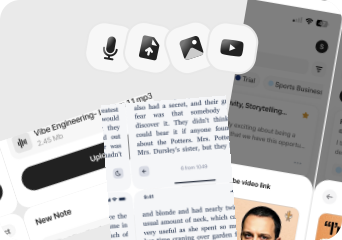
Inputs | Audio, Video, Image, YouTube, Text ↗ | Audio, File Upload, YouTube, Text |
Exports | Markdown, Text, Audio, Webpage ↗ | Not disclosed ↗ |
Platforms | iPhone, iPad, Android, Web ↗ | iPhone, iPad, Apple Watch, Mac, Android, Web ↗ |
Integrations | Notion, Zapier, WhatsApp ↗ | None found ↗ |
App Languages | English, Español, Deutsch ↗ | العربية, Català, Hrvatski, Čeština, Dansk, and 27 more |
Privacy | End-to-end encryption and GDPR listed ↗ | GDPR listed ↗ |
Choose Audionotes if...

You want one tool for meetings, personal notes, ideas, and content reuse

You care about images, YouTube, and flexible exports

You want stronger organization beyond student workflows

You want less dependence on study-specific outputs
Choose Coconote if...
You are a student
You want flashcards, quizzes, and study aids from lectures
You mostly care about turning class content into revision material
AI summaries and structured notes are not your priority
What users are saying
We collected the most recent App Store reviews available for each product (March 2026) and independently coded every review by theme: accuracy, reliability, pricing, and usability. The summary above reflects aggregate patterns across the full set. The quoted reviews were selected as the most representative of each product's top-cited praise and top-cited complaint, chosen for typicality, not extremity.

Audionotes has attracted a strong student and educator following: teachers building revision materials, students switching from handwritten notes, and anyone who needs to revisit something they heard rather than read. Users consistently praise the transcription speed and accuracy, and how much time it saves across a study session. The sync between mobile and desktop is particularly useful here: record a lecture on your phone, review the summary on your laptop, with everything in sync. The app is well-reviewed on both stores and has built a reputation for reliability that has improved steadily since launch. The one-minute recording cap on the free tier is the most common friction point for students still evaluating before committing.
TOP PRAISE
"Switched from pen and paper for my psychology lectures and it's been amazing. I can actually participate in class now instead of just writing everything down."
COMPLAINT
"The things you can do on this app for free is a voice recording for up to one minute or type out notes. It's $90 to do anything else."

Coconote has built a following among students and entrepreneurs who love its ability to summarize meetings, generate flashcards, and even create podcasts from notes. Users with learning disabilities and ADHD in particular credit it with dramatically improving their grades and engagement. That said, reviews indicate it doesn't always hold up when it counts. Reports of recordings failing mid-meeting despite showing as active, corrupted files with no recovery option, and unexpected subscription charges surface regularly. Customer support responsiveness appears limited, and the gap between what the app promises and what it delivers in critical moments has raised concerns among users.
TOP PRAISE
"I went from having an F in my Art History class to a confident C."
COMPLAINT
"Multiple times, in CRITICAL meetings, this has failed to record ANY audio... even while it said it was recording!!! SKIP THIS AND USE ANYTHING ELSE INSTEAD. SAVE YOURSELF!!!"
MAX RECORDING
180 min
Audionotes
Not disclosed
Coconote
TRANSCRIPTION
9/10
Audionotes
7/10
Coconote
SUMMARY QUALITY
9/10
Audionotes
8/10
Coconote
OFFLINE CAPTURE
Yes
Audionotes
No
Coconote
SPEAKER DIARIZATION
Yes
Audionotes
No
Coconote
RELIABILITY
8/10
Audionotes
4/10
Coconote
Takeaway: Audionotes led on transcription and recording quality; Coconote came close on summary quality but showed more variability in recording conditions.
Feature-by-feature comparison
Class Recording and Lecture Capture

Coconote is designed specifically for students, with its recording workflow built around lecture and classroom capture rather than general-purpose voice memos or meetings. It transcribes in real time and generates study-oriented notes; Audionotes covers similar recording modes but produces outputs for professional and personal use rather than study-specific formats.
Winner : Audionotes
Lecture Transcription Accuracy


Coconote produces lecture transcripts that feed directly into flashcard, quiz, and study guide generation, the transcript is a means to an end in the study workflow. Audionotes keeps the transcript as a first-class output alongside summaries and mind maps, which is more useful when the text itself needs to be saved, exported, or shared professionally.
Winner : Depends on workflow
Study Notes and AI Summaries


Coconote generates structured study notes including highlights, key terms, and concept outlines optimised for exam review and active recall. Audionotes produces more general summaries, mind maps, and document-style outputs, useful for professional and personal contexts but without Coconote's exam-prep formatting.
Winner : Depends on use case
Flashcards, Quizzes, and Study Reuse

Coconote generates flashcards and quizzes from lecture recordings and adds a spaced repetition review engine that schedules recall practice automatically. Audionotes also generates Q&A flashcards, quizzes, and mind maps from the same recordings, but without a built-in review scheduler. Audionotes adds AI chat for working with notes beyond the study session.
Winner : Audionotes
Organizing Lecture Notes and Study Material

Coconote organises around courses and lecture sessions, making it easy to manage a semester's worth of class recordings in separate subject folders. Audionotes uses general-purpose tags and folders without course-specific structure, which is more flexible for mixed content but less structured for academic workflows.
Winner : Audionotes
Course Material and File Uploads


Coconote supports audio file uploads and YouTube links for processing lecture content that was not captured live in the app. Audionotes accepts audio, YouTube, images, and text, a comparable input set, though Coconote's free plan limits uploads to around 10 per month before a paid plan is required.
Winner : Depends on workflow
Exporting Study Notes

Coconote's export focus is on study materials, structured notes, flashcard decks, and concept outlines, rather than document formats for publication or sharing. Audionotes exports as Markdown, Text, PDF, and Word, which is more flexible for professional or documentation use cases beyond the classroom.
Winner : Audionotes
Online Meetings


Coconote is not designed for online meetings and has no meeting bot integration. Audionotes also has no bot but can record any audio manually, including lectures, calls, or seminars, and generate structured outputs from any recording type.
Winner : Depends on workflow
Integrations

Coconote's integration footprint is limited, the product is primarily self-contained with no documented Notion, Zapier, or CRM connections. Audionotes connects to Notion, Zapier, and WhatsApp for routing notes into broader productivity workflows, which matters more for professional users than students.
Winner : Audionotes
Privacy and security


Coconote processes audio in the cloud; its public privacy documentation is limited to basic terms of service rather than enterprise-grade compliance statements. Audionotes is GDPR-compliant with end-to-end encryption, offering a more explicitly documented security posture for professional use.
Winner : Depends on requirements
Best pick by persona
Find your workflow, find your tool.

University students processing lecture recordings
Choose : Coconote ↗
Why? : Coconote generates structured study notes, flashcards, and quizzes from lecture audio, directly aligned with how students actually prepare for exams.

Exam preppers who need active recall tools
Choose : Coconote ↗
Why? : Both tools generate flashcards and quizzes from lecture content; Coconote adds a spaced repetition review engine that schedules recall practice, Audionotes does not.

Working professionals taking meeting notes
Choose : Audionotes ↗
Why? : Coconote is built entirely around student and study workflows, no meeting format outputs, no CRM integration, no professional export templates.

Content creators and mixed-media note-takers
Choose : Audionotes ↗
Why? : Audionotes captures YouTube, images, and text alongside audio and generates reusable content outputs, Coconote's pipeline is optimised for course content only.

Personal note-takers and journalers
Choose : Audionotes ↗
Why? : Coconote's organisation system is built around course and lecture sessions, no general-purpose folder structure or tagging for non-academic content.

Budget-limited students on the free plan
Choose : Coconote ↗
Why? : Coconote's free plan allows ~10 uploads/month at $9.99/month paid, less than half the price of Audionotes if the only use case is lecture notes.
Pricing and value

$8.33
/month
Billed Annually - $99.99/year
Audionotes is usually the better value if you want one tool that keeps working outside the classroom too.
Audionotes is better when you need one AI notes tool for meetings, ideas, content drafting, and personal knowledge capture.
It is the stronger fit for broader workflows and more flexible exports.

$9
/month
$118/year (Unlimited Pass)
Coconote is better when the user is explicitly buying a study helper, not a general-purpose notes tool.
Its appeal is straightforward: feed it academic content and get study-ready outputs back.
Coconote offers paid plans starting at $9/month or $118/year (Unlimited Pass); free plan available.
Coconote can make sense for students who will actively use its flashcards and study outputs every week.
Known limitations
No tool is perfect. Here's what to expect.

No spaced-repetition or active recall scheduling (unlike dedicated study apps)
No LMS or Google Classroom integration
Better for capturing and summarising than for structured revision workflows
Free tier recording limit of 1 minute may be short for full lecture capture

Reviews repeatedly mention recordings failing mid-session or files becoming corrupted, which is a serious trust issue for lecture capture.
The pricing feels heavy for students, especially when the free experience runs out quickly.
Customer support appears inconsistent in reviews, particularly around billing and failed recordings.
It is much more compelling as a student tool than as a general notes product for work, personal capture, or content creation.
Key takeaway: Both work well for students, Coconote leans into study mode, Audionotes leans into capture and recall across more contexts.

Switching from Coconote to Audionotes
Most people switch from Coconote to Audionotes for one of two reasons: reliability concerns or a need for broader workflows beyond school. Export what matters, then recreate your note structure and study folders inside Audionotes.
Switch if you feel boxed into Coconote’s narrower workflow and want one tool to handle ideas, meetings, lectures, personal notes, and mixed-media note creation too. See also: best AI tools for students. Also evaluating Audionotes vs Turbo AI or Audionotes vs Notta? Those comparisons cover similar trade-offs.
FAQ's
Is Audionotes better than Coconote?
For general and professional use, yes. Coconote is optimised for students, it generates flashcards, quizzes, and structured study notes from lecture recordings, and adds a spaced repetition review engine. Audionotes also generates flashcards, quizzes, and mind maps from recordings, but without the review scheduler. Outside academic workflows Coconote has little to offer: no meeting format, no professional exports, and no useful output for non-academic content. Audionotes works for lectures alongside every other type of recording, with output formats practical beyond the classroom.
Can Audionotes be used for lecture capture?
Yes, though the free tier has a 1-minute recording limit. On paid plans, Audionotes handles full-length lectures. The difference is that Coconote is purpose-built for students with flashcards and quizzes included.
Which is better for students?
Coconote is better if spaced repetition review is central to how you study. Both tools generate flashcards and quizzes automatically from lecture recordings. Coconote adds a review engine that schedules recall sessions; Audionotes adds mind maps and broader input support but does not manage the review cycle.
Does Coconote work outside of academic contexts?
Not really. Coconote is built around lecture recordings, study aids, and academic content. It is not a general-purpose notes tool for professional or personal use.
Is Audionotes free?
Yes. Unlimited number of notes with 1 minute recording limit. See paid plan features →
Is Coconote free?
Yes, with limits. Coconote offers a 7-day free trial (credit card typically required).
Which is better for exam preparation?
Coconote, if a built-in spaced repetition review engine is what you need. Both tools generate flashcards and quizzes from lecture content. The difference is Coconote schedules your review sessions automatically. Audionotes is the better choice if you want study tools that also work beyond the classroom.
Which tool has better integrations?
Audionotes. Coconote has no documented third-party integrations, the product is primarily self-contained. Audionotes connects to Notion, Zapier, and WhatsApp, and exports to Obsidian, which matters for students who want notes to move into existing productivity tools automatically.
What are the best Coconote alternatives for lecture notes in 2026?
Coconote specialises in lecture capture with flashcard and quiz generation. The closest alternatives for students: TurboLearn and Notegpt offer similar lecture-to-flashcard pipelines. Audionotes covers lecture recording and AI summaries but skips the flashcard layer, making it a better fit for students who want notes over students who want active recall tools. For pure transcription of lecture audio without AI processing, MacWhisper (Mac) or Whisper-based apps offer local processing. If your goal is building study material from lectures specifically, Coconote and TurboLearn are the two strongest purpose-built options.
What is the best AI app for recording and summarising lectures in 2026?
For lecture recording with AI summaries, the top options are Audionotes, Coconote, and Otter.ai. Audionotes produces clean summaries with action items and key points from lecture audio, works on iOS and Android, and stores recordings in a searchable archive. Coconote goes further with flashcard and quiz generation from the same recording, which is more useful for exam-driven study. Otter.ai has live transcription during lectures with a strong mobile app. If you want the best summary quality with the most flexible input types, Audionotes. If you need flashcards built from the lecture, Coconote.
Can I switch from Coconote to Audionotes?
Yes. Export your notes from Coconote and re-upload original lecture recordings to Audionotes for reprocessing. Flashcards and quizzes generated by Coconote do not transfer, export them separately before switching. The spaced repetition review engine disappears; Audionotes produces summaries, mind maps, flashcards, and quizzes from the same lectures instead. If you're also evaluating Audionotes vs Turbo AI, that page covers another student-focused alternative.
Bottom-line verdict
Choose Audionotes if your note-taking extends beyond the classroom, meetings, client calls, research, and daily ideas all processed through one tool that stays useful after graduation.
Choose Coconote if you are currently in full-time study, your content is lectures and course material, and flashcards or quizzes are how you actually prepare for exams. It is built specifically for that workflow at a price that is hard to argue with.
Final recommendation: Pick Coconote if the exam is in six weeks and you need study assets fast. Pick Audionotes if lectures are one content type among many and you want structured notes that stay useful past semester end.
Other comparisons
Sources
Official Product Sources
App Store and Review Sources
How We Evaluated
We evaluated each product using a mix of official product documentation, pricing pages, privacy and security materials, app store listings, public review data, and hands-on testing where available. We prioritized directly verifiable claims and avoided filling gaps with assumptions.
Where possible, we compared products across the same criteria, including pricing, feature depth, export options, integrations, platform coverage, privacy controls, and review sentiment. If a detail was unclear or not publicly documented, we marked it as unspecified rather than guessing.