


Audionotes vs Flownote

Audionotes vs Flownote

Choose Audionotes if you want broader flexibility and fewer reported trust issues. Choose Flownote if your main requirement is a meeting-focused app that can summarize discussions and track speakers.

Audionotes vs Flownote ai

Key differences in 30 seconds


Audionotes

Flownote

Best for

Keeping on top of meetings and ideas, recorded, summarised, and searchable

Meeting transcription and AI-generated meeting summaries

Starting price

$19.99–$29.99 (Monthly), $89.99–$129.99 (Annual)

$6.99–$139.99

Free Plan

Yes, unlimited number of notes with 1 minute recording limit

Yes, up to 20 meetings/month with AI transcription and notes

App Store rating

4.8/5

4.78/5

First released

January 2024

May 2024

Inputs

Audio, Video, Image, YouTube, Text

Audio, File Upload, Text

Exports

Markdown, Text, Audio, Webpage

Markdown, PDF, DOCX, MP3

Platforms

iPhone, iPad, Android, Web

iPhone/iPad, Web, Desktop

Integrations

Notion, Zapier, WhatsApp

Zoom, Google Meet, Slack, Webex

App Languages

English, Español, Deutsch

Dansk, Nederlands, English, Suomi, Français, and 11 more

Privacy

End-to-end encryption and GDPR listed

Some privacy and security controls listed, but not fully disclosed

Choose Audionotes if...

You need voice notes, images, YouTube, and personal idea capture

You want image, YouTube, and mixed-media capture

You need stronger organization and broader use cases beyond meetings

You need stronger organization and broader use cases beyond meetings

You want a more mature cross-persona AI notes product

You want a more mature cross-persona AI notes product

You prefer better public privacy positioning

You prefer better public privacy positioning

Choose Flownote if...

Your main use case is meeting transcription

You want a simple desktop + iPhone workflow

You care about Markdown, DOCX, and PDF exports from meetings

You do not need bots or heavy enterprise tooling

What users are saying

We collected the most recent App Store reviews available for each product (March 2026) and independently coded every review by theme: accuracy, reliability, pricing, and usability. The summary above reflects aggregate patterns across the full set. The quoted reviews were selected as the most representative of each product's top-cited praise and top-cited complaint, chosen for typicality, not extremity.

Audionotes logo

Audionotes has built a loyal following among professionals who spend a lot of time in meetings and want reliable summaries without babysitting a recording. Users consistently praise the transcription accuracy, the summary quality, and how well it holds up with multiple speakers in noisy environments. Reliability comes up often: the app works consistently across mobile and desktop, and the dev team's responsiveness to issues has earned trust over time. The main friction some users mention is wanting more control over when the AI kicks in, rather than it processing automatically every time.

TOP PRAISE

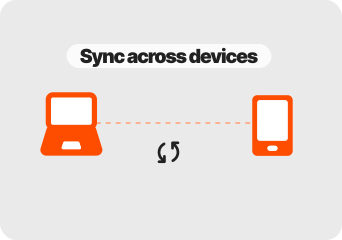
"Love how seamlessly it syncs across devices be it on web or phone. I can focus on the conversation while recording and add markers for important points to review later. Game changer for my work!"

COMPLAINT

"Tried to purchase an annual plan numerous times with every different payment option available and every time there was an error."

Flownote logo

Flownote gets credit for its transcription quality and the way it lets users stay fully present in meetings without worrying about note-taking. Speaker differentiation and AI summaries are called out as strengths, and users who've had good experiences describe it as a genuine stress-reducer. However, reliability concerns come up frequently. Users report recordings stopping unexpectedly, files failing to save, and the app getting stuck in processing loops with no recovery. One user reported losing a 4-hour paid workshop recording with only the last 15 minutes saved. At $200/year, the pricing raises questions when core functionality is inconsistent, and support response times appear slow.

TOP PRAISE

"Flownote has not only been a lifesaver for taking notes, saving time, and sharing the notes with meeting attendees quickly, but has also reduced my stress and allowed me to fully participate in meetings."

COMPLAINT

"The app says it's still processing the meeting. After waiting for DAYS, their support just tells me that nothing was recorded. Lost Meeting. Lost Revenue. Lost Respect. Lost Trust."

Real-world benchmarks

30-minute two-speaker English conversation with moderate background noise, tested March 2026 by the Audionotes team. Transcription accuracy scored by a human evaluator; summary quality scored by an LLM judge against a fixed rubric; recording reliability derived from App Store review patterns. Full methodology and scoring rubrics.

MAX RECORDING

180 min

Audionotes

Unlimited

Flownote

TRANSCRIPTION

9/10

Audionotes

7/10

Flownote

SUMMARY QUALITY

9/10

Audionotes

7/10

Flownote

OFFLINE CAPTURE

Yes

Audionotes

Yes

Flownote

SPEAKER DIARIZATION

Yes

Audionotes

Yes

Flownote

RELIABILITY

8/10

Audionotes

5/10

Flownote

Takeaway: Audionotes delivered more consistent transcription accuracy; Flownote showed more reliability variability in recording quality.

Feature-by-feature comparison

Recording

Audionotes logo

Flownote is built around online meeting capture using a calendar-connected bot that auto-joins Zoom, Google Meet, and Teams calls. It does not support manual voice memo recording, image capture, or YouTube processing, all recording happens through the meeting bot, which is powerful for call-heavy users but narrow for anyone else.
Winner : Audionotes

Transcription

Audionotes logo
Flownote logo

Flownote produces meeting transcripts with speaker labels and real-time processing for calls it attends via bot. Audionotes transcribes manually recorded audio without a bot requirement, which is useful for phone calls, in-person meetings, and any recording situation where a bot participant is not appropriate.
Winner : Flownote for meetings; Audionotes for general workflows

Summaries

Audionotes logo
Flownote logo

Flownote's AI focuses on meeting-specific outputs: structured summaries, action items, and task assignments extracted from meeting transcripts. Audionotes generates summaries across more content types including voice memos, images, and YouTube, but does not extract meeting action items in the same structured, assignable format.
Winner : Depends on use case

Chat and reuse

Audionotes logo

Flownote generates task lists from meetings and can push action items to Trello and Slack, making post-meeting task management more automatic. Audionotes supports AI chat for generating content from notes but is less focused on task extraction as a structured, delegatable post-meeting workflow.
Winner : Audionotes

Organization

Audionotes logo

Flownote organises notes around meetings and projects, with meeting history browsable by date and participant. Audionotes uses a general tags-and-folders system, more flexible for mixed content types but less structured for a meeting-first workflow that needs to track decisions and assignments over time.
Winner : Audionotes

Course Material and File Uploads

Audionotes logo
Flownote logo

Flownote's primary capture method is the live meeting bot; audio file upload support for asynchronous transcription is limited compared to tools designed for async workflows. Audionotes accepts audio uploads, YouTube links, images, and text, making it more useful for processing content outside of live scheduled meetings.
Winner : Depends on input type

Export

Audionotes logo
Flownote logo

Flownote exports to Markdown, PDF, DOCX, and MP3, a solid format set for meeting documentation. Audionotes exports to Markdown, Text, PDF, and Word, and can publish notes as a shareable webpage, similar document coverage with an additional web publishing option.
Winner : Depends on workflow

Online Meetings

Flownote logo

Flownote's meeting bot auto-joins calendar-linked calls and generates a post-meeting package including transcript, summary, and task list. Audionotes has no meeting bot; recording is manual, giving you more control over what gets captured but requiring you to initiate each recording yourself.
Winner : Flownote

Integrations

Audionotes logo

Flownote integrates with Notion, Slack, and Trello for pushing meeting outputs into task and team workflows, a set focused on meeting handoff and action tracking. Audionotes connects to Notion, Zapier, and WhatsApp, which is more useful for personal automation than structured team meeting handoffs.
Winner : Audionotes

Privacy and security

Audionotes logo

Flownote's meeting bot model means a third-party service participant joins your calls, which may require disclosure depending on your jurisdiction or company policy. Audionotes processes audio without a bot, with GDPR compliance and end-to-end encryption as its documented privacy baseline.
Winner : Audionotes

Best pick by persona

Find your workflow, find your tool.

Project managers extracting meeting action items

Project managers extracting meeting action items

Choose : Flownote
Why? : Flownote pushes extracted tasks from meetings directly to Trello and Slack, Audionotes generates summaries but does not produce assignable task lists.

Teams running Zoom or Google Meet-heavy workflows

Teams running Zoom or Google Meet-heavy workflows

Choose : Flownote
Why? : The calendar-connected bot auto-joins calls and generates a post-meeting package of transcript, summary, and tasks without manual setup per meeting.

Freelancers recording client calls without a bot

Freelancers recording client calls without a bot

Choose : Audionotes
Why? : Audionotes requires no bot participant in the call, record manually after explaining to a client, which avoids the awkwardness of an AI joining uninvited.

Students and lecture note-takers

Students and lecture note-takers

Choose : Audionotes
Why? : Flownote is built entirely around online meetings and has no useful workflow for lectures, personal voice notes, or academic content.

Content creators and idea capturers

Content creators and idea capturers

Choose : Audionotes
Why? : Audionotes ingests YouTube links, images, and uploaded files alongside voice, Flownote only processes audio from its live meeting bot.

Solo professionals needing broad capture

Solo professionals needing broad capture

Choose : Audionotes
Why? : Flownote's value is almost entirely meeting-dependent; Audionotes covers every input type in a single product without requiring calendar integration to be useful.

Pricing and value

Audionotes logo

$8.33

/month

Billed Annually - $99.99/year

  1. Audionotes is better when you want the more flexible AI notes product overall.

  2. It is the better choice for people who capture ideas in many formats and want one place to turn them into structured outputs

  3. Audionotes offers a free plan and paid plans starting at $19.99/month or $89.99/year.

  4. Audionotes offers a cleaner value story for people who want a broader notes product.

Flownote logo

$14

/month

$168/year

  1. Flownote is better when the requirement is staying present in meetings while the app handles the notes, assuming its workflow matches your device and reliability tolerance.

  2. Flownote has a free plan, with paid plans starting at $14/month.

  3. Flownote is hardest to justify when reliability is in question, especially at a premium annual price.

Known limitations

No tool is perfect. Here's what to expect.

Audionotes logo
  • No native meeting bot or automatic calendar joining

  • No direct integrations with Zoom, Google Meet, or Teams

  • Collaboration and sharing features are more limited than dedicated meeting tools

  • Stronger as a personal capture tool than a team workflow hub

Flownote logo
  • Reviews mention recordings stopping unexpectedly, files failing to save, and long sessions being lost.

  • Processing loops and recovery issues show up often enough to matter.

  • The annual pricing feels aggressive given the reliability complaints.

  • It is still primarily a meetings product, not a flexible capture system across voice, text, images, and files.

Key takeaway: Flownote is built around meetings; Audionotes is built around notes, and happens to handle meetings well too.

Flownotes to Audionotes

Switching from Flownote to Audionotes

Switching from Flownote to Audionotes is usually about trust first and flexibility second. Export what you can keep, then move into a workflow that is not so tightly tied to one meeting-specific behavior.

Switch if you feel boxed into Flownote’s narrower workflow and want one tool to handle ideas, meetings, lectures, personal notes, and mixed-media note creation too. See also: how to record and transcribe meeting minutes. Also evaluating Audionotes vs Fireflies or Audionotes vs Minutes AI? Those comparisons cover similar trade-offs.

FAQ's

Is Audionotes better than Flownote?

For general note-taking, yes. Flownote is a meeting tool, a bot auto-joins your calendar-connected Zoom, Meet, and Teams calls, then generates a post-call package of transcript, summary, and task list that can push into Notion, Slack, and Trello. If your whole capture workflow lives in scheduled calls, that automation is genuinely useful. Outside meetings, Flownote has almost nothing to offer: no voice memo recording, no file upload, no image input. Audionotes works for meetings alongside everything else you capture, without requiring a bot to join your calls.

Which is better for meeting notes?

Flownote is better if back-to-back video calls are the core workflow. It auto-captures meetings with speaker identification and generates structured summaries per speaker. Audionotes requires manual recording but handles a wider range of input types beyond meetings.

Does Flownote work for solo professionals?

Flownote works for individuals who rely heavily on video calls. Outside of meetings, it offers less than Audionotes. If your day is mostly calls, Flownote is a reasonable fit; if it is a mix, Audionotes covers more ground.

Which tool has better integrations?

Flownote integrates with calendar apps for automatic meeting scheduling and exports summaries to Notion and other tools. Audionotes connects to Notion, Zapier, and WhatsApp, and exports to Obsidian. For calendar-linked automatic meeting capture, Flownote's calendar sync gives it a practical edge.

Is Audionotes free?

Yes. Unlimited number of notes with 1 minute recording limit. See paid plan features →

Is Flownote free?

Yes. Flownote's free plan includes up to 20 meetings per month with AI transcription and notes.

Can Audionotes replace Flownote for meeting notes?

For individual use, yes. You record the meeting on your phone, upload it, and get a summary. What you give up is speaker-attributed transcripts, meeting-bot capture, and calendar integration.

What are the best Flownote alternatives in 2026?

Flownote targets Apple users who want native meeting capture on Mac and iPhone. The closest alternatives: Audionotes is cross-platform, covers more than meetings, and has a comparable AI summary layer. Granola is Mac-native with a stronger note-enhancement model if you type your own notes during calls. Fireflies adds a meeting bot with CRM integration for teams. If you are specifically looking to replace Flownote's Apple-native meeting workflow, Audionotes is the most portable option that doesn't require staying in the Apple ecosystem.

What is the best AI meeting notes app for iPhone in 2026?

For iPhone-first users, the top options are Audionotes, Otter.ai, and Flownote. Audionotes records locally, works offline for capture, and processes audio through its cloud AI for summaries, action items, and searchable archives. Otter.ai has deep iPhone integration but is bot-first for meetings. Flownote is iOS and Mac native with a cleaner Apple design but narrower feature set. If you want meeting notes plus the ability to capture voice memos, uploads, and non-meeting audio in the same app, Audionotes handles the most varied workload on iPhone.

Can I switch from Flownote to Audionotes?

Yes. Export your Flownote meeting summaries and notes, then re-import original recordings into Audionotes if available. Speaker-attributed transcripts from Flownote will not be preserved in their original format. The calendar-linked bot workflow disappears, you will record manually in Audionotes. If you're also comparing Audionotes vs Minutes AI, that page covers a similar meeting-bot alternative.

Bottom-line verdict

Choose Audionotes if you record things outside scheduled calendar calls, voice memos from a commute, in-person conversations, YouTube research, or any audio that does not run through a meeting bot. Flownote has no workflow for any of that.

Choose Flownote if back-to-back calls define your day, you want task lists extracted and pushed to Trello or Slack automatically, and every piece of content worth capturing is already on your calendar.

Final recommendation: Pick Flownote if the output you want from a call is a task list in Trello and a summary in Slack, and that loop needs to happen without manual work. Pick Audionotes if meetings are one part of a broader capture habit that spans more than your calendar.

Sources

How We Evaluated

We evaluated each product using a mix of official product documentation, pricing pages, privacy and security materials, app store listings, public review data, and hands-on testing where available. We prioritized directly verifiable claims and avoided filling gaps with assumptions.

Where possible, we compared products across the same criteria, including pricing, feature depth, export options, integrations, platform coverage, privacy controls, and review sentiment. If a detail was unclear or not publicly documented, we marked it as unspecified rather than guessing.